If you’re comparing n8n vs Zapier in 2026, chances are you’re not just trying to send a Slack message when a form gets filled out.
Both tools handle that fine. The more relevant question today is: which platform can you trust with AI agents, RAG pipelines, and business-critical automation in production? And what does that choice cost you? Money, engineering time, and lock-in.
Zapier and n8n are workflow automation and data integration platforms, each with distinct use cases, user types, and deployment models.
Zapier connects over 9,000 apps through workflows called Zaps in a simple, no-code interface. For instance, an event (such as a form submission or new CRM record) in one app triggers actions in others. Zapier has spent over a decade optimizing for one thing: letting non-developers ship working automations in minutes.
n8n is built for technical teams and developers who want more control and advanced orchestration. You build workflows on a visual canvas out of “nodes,” and you can drop into JavaScript or Python whenever the visual builder isn’t enough. It’s source-available under a fair-code license, meaning you can self-host it and keep your sensitive data in-house.
At ClickIT, we’ve deployed and maintained both platforms for clients. The right choice comes down to specifics: Does your compliance posture allow customer data to transit a third-party cloud? Can anyone on your team patch and scale a self-hosted instance? How does your bill behave when an AI agent makes 40 tool calls per run instead of 4?
Not sure which fits your stack? Talk to a ClickIT engineer about your automation setup.
Blog Overview
In a rush? Here’s a quick overview of what I’ve covered in this article:
- AI agents: Zapier gets simple agents running quickly across the SaaS apps most teams already use. n8n wins once the agent needs custom tools, memory you control, or a model running on your own infrastructure.
- RAG workflows: Zapier treats RAG as a managed feature (faster setup, less control). n8n hands you the pipeline, from document ingestion and chunking to retrieval and source tracking.
- Pricing at real volume: Zapier bills every action step as a task. n8n bills once per execution (or nothing at all self-hosted), so the same long, high-volume workflow can cost several times more on Zapier.
- Self-hosting and data control: Self-hosted n8n keeps data inside your network, which settles data residency questions in regulated industries. The tradeoff is that your team owns security, patching, and scaling.
- Production reliability: Zapier manages most retries and supports custom error handling when the defaults aren’t enough. n8n lets you design recovery per node and stores execution data for every step, which could be useful when debugging a complex failure.
If you want the full picture of which tool fits your stack, your team, and your risk tolerance, stick around. I’ll go into detail with real-world examples from projects we’ve built.
n8n vs Zapier: The Core Difference for AI Workflows
Zapier is a fully managed platform built so business or non-technical users can add AI to workflows in minutes. n8n is a developer-focused platform built so technical teams can control every part of how an AI workflow runs, including where it runs.
The short version:
Everything else in this comparison flows from that split.
- Simple AI and Business Workflows
Zapier’s AI features slot into your workflows just like any other step. If you add an “AI by Zapier” step to a Zap, it can summarize a support ticket, draft a reply, or classify a lead, and its output gets mapped into the next step like a regular field. There’s no separate prompt engineering infrastructure, SDK, or API key management.
On top of that, there are three additions worth knowing about:
- Zapier Copilot (still in open beta as of mid-2026) builds and edits Zaps from a plain-language description of what you want. Please note that this is different from Microsoft Copilot.
- Zapier Agents are goal-driven assistants. Instead of following a fixed sequence, you give one an objective like “research this lead and update the CRM,” and it picks from your connected apps’ actions to get there. With guardrails, memory, and bring-your-own-model support.
- Zapier now runs an MCP server, which means external AI tools like Claude or ChatGPT can trigger actions across Zapier’s app catalog without you building a single integration. (MCP, or Model Context Protocol, is the open standard that lets AI tools call external services.
For example, say you want every new Sentry error summarized by an LLM, triaged by severity, and turned into a Linear ticket with a Slack ping to the on-call channel. You could code it, but then you own its deployments and retries. In Zapier, it’s a 20-minute Zap that requires practically zero maintenance.
In my experience, for small integrations where the logic matters but the infrastructure doesn’t deserve an owner, Zapier is the right call. No matter how technical your team is.
- Advanced AI and Technical Pipelines
n8n treats AI as a building block you assemble, not a step type you insert like Zapier. At the center of this design is n8n’s AI Agent node, built on LangChain, which handles reasoning and tool orchestration, with optional memory support.
Zapier lets you make these choices too, but from its catalog: you pick approved actions, toggle memory on, and select a supported model.
n8n lets you define them yourself. A tool can be any workflow, HTTP call, or custom code you write. Memory is a backend you choose and configure. The model is anything with an endpoint, including one running on your hardware.
Beyond the agent node, here are four things you should know about n8n:
- MCP works in both directions. n8n agents can consume external MCP servers as tools, and the MCP Server Trigger turns any n8n workflow into a tool that outside agents (Claude, Cursor, your own) can call. So, your existing workflows become an agent’s toolbox without a rewrite.
- Vector-store integrations, document loading, chunking, embedding, and retrieval can all be assembled inside an n8n workflow. Citations are not automatic, but you can preserve source metadata during ingestion and use it to generate document, section, URL, or page references where the parser provides reliable page metadata.
- Evaluations in n8n let you test AI workflows against datasets before they run unsupervised. If an agent is making decisions in production, you want proof it behaves correctly across many cases, not just the one you demoed.
- The model layer is pluggable. You can point to the same workflow at OpenAI, Anthropic, or a local model served by Ollama. If your company has strict data policies, it makes sense to use this to run LLM workflows while keeping sensitive data under your own infrastructure and security controls.
For example, let’s say you’re building an internal agent that answers questions about your infrastructure. It queries Prometheus for metrics, checks recent deploys in your CI system, and pulls runbook context from a vector store before answering in Slack. That process needs custom tool definitions, tunable retrieval, and a deployment your compliance team can point at. You can build it in n8n in a day or two and host it on your own VPC.
We’ve documented a build like this in our guide to building an AI AWS infrastructure with n8n and MCP, where a self-hosted agent runs security and cost audits from Slack for about $50 a month in infrastructure.
Here’s a summary table of the core differences in n8n vs Zapier AI workflows:
| AI Workflow Need | Better Fit | Why |
| Simple AI summaries | Zapier | Easy to add AI steps to SaaS workflows |
| AI email drafts | Zapier | Fast setup for business users with no API knowledge needed |
| RAG workflow | n8n | Native vector store nodes, document processing, and retrieval control |
| AI agent with tools | n8n | Full control over models, memory, and which tools the agent can call |
| Internal API automation | n8n | Code steps and HTTP flexibility for systems without prebuilt connectors |
| DevOps automation | n8n | Self-hostable, scriptable, and comfortable with infrastructure data |
| Human-in-the-loop AI workflow | n8n | Custom approval logic and self-hosted governance (Zapier offers simpler built-in approvals) |
n8n vs Zapier for AI Agents
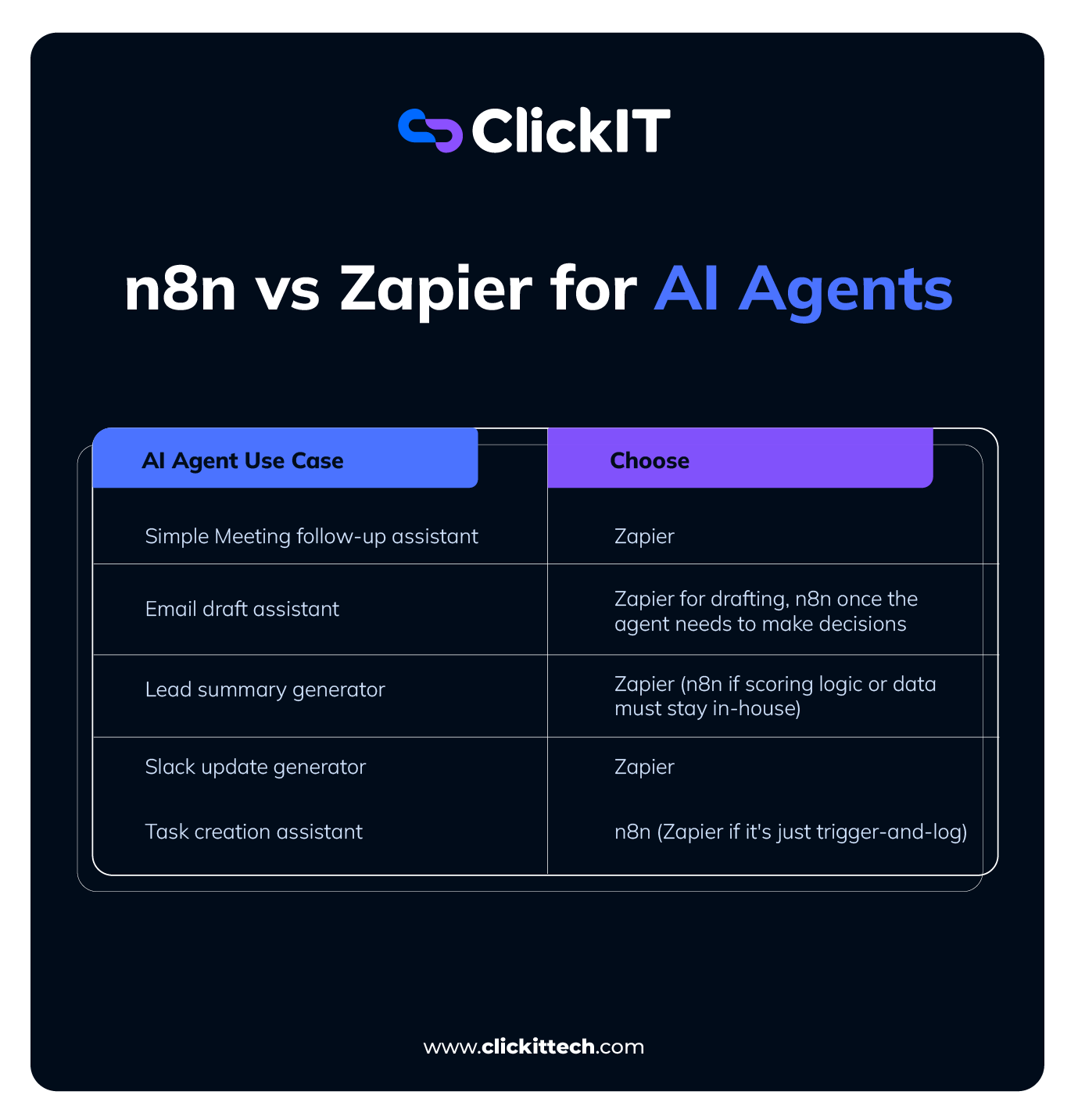
Both n8n and Zapier can power the five AI assistants I listed below, and the fundamentals from above still apply. n8n is generally better for deep agentic orchestration (dynamic prompt-switching, persistent memory, tool-calling, conditional routing, and custom code between steps).
Zapier is the better choice for fast, no-code integrations with everyday apps like Google Calendar, Gmail, Slack, Zoom, and HubSpot. Instead of repeating that five times, I’m focusing each use case below on what’s specific to it.
If you’re looking for a workflow automation tool that can actually run AI agents, here’s how n8n vs Zapier plays out in practice.
AI meeting follow-up assistant
- Zapier: Zapier connects directly to Zoom or Google Meet with pre-built integrations, sends the transcript to an LLM, and logs next steps into your CRM.
If you want this running in 10 minutes without touching code or managing servers, Zapier is your best bet.
- The catch: high meeting volume gets expensive, because most successful action steps bill as a task (a team doing five meetings a day will feel this by month two).
- n8n: Use n8n if your follow-up logic is conditional, like custom transcript cleanup, routing based on who attended (if the client is a VIP, CC management automatically), or parsing custom audio files before sending anything.
- The catch: you’ll need to handle API credentials yourself (getting Google Cloud OAuth set up is its own afternoon), and someone on your team owns the server.
AI email draft assistant
If your goal is to trigger a draft when a new lead lands, classify its priority, have a model like OpenAI or Gemini write a response, and save it as a Gmail or Outlook draft, Zapier is the fastest to build and the easiest to maintain.
If you want an autonomous agent that queries your CRM, references past conversations, pulls product or pricing context from a vector store, checks your calendar before proposing times, and decides on its own whether to reply, escalate, or log context to a database, n8n’s AI-native tooling provides a better fit at that level of custom orchestration.
In my experience, it’s simple: a Zap can draft, and a Zapier Agent can decide within its catalog of actions. The moment the decisions need custom tools, memory you control, or self-hosted execution, you’ve outgrown it.
AI lead summary generator
- Zapier: Set up a Zap (or a Zapier Agent) to poll your inbox, extract key prospect info, and drop a summary into HubSpot or Salesforce. If that’s all you need, it’s a sub-20-minute build on Zapier.
- n8n: Gives you control over the exact system prompt, which is relevant if lead scoring depends on proprietary company logic. You can classify unread emails in bulk, score leads against your own criteria, and generate digests across multiple tools.
It’s also my pick if lead data can’t leave the company’s own servers (a hard requirement for some of our compliance-bound clients).
AI Slack update generator
Zapier genuinely makes the most sense for an AI Slack update generator. A Zapier Agent can summarize active Slack threads and action items, then dispatch them to email or your CRM, with almost no configuration.
You should only consider n8n once the updates need memory and state: an agent that tracks what it already reported and queries specific channels through custom tools.
AI task creation assistant
If your assistant just needs to use a trigger (an incoming email, a form submission) and ask a model to draft a response or log a task, Zapier is much faster to implement. Its app catalog is one of the largest prebuilt integration catalogs in the industry, so a niche CRM or task manager likely already has a connector.
Zapier’s hosted AI products (Agents, Chatbots) also give you a conversational interface that triggers actions even with zero knowledge of APIs, webhooks, or servers.
For a task assistant that acts autonomously, with multi-step reasoning and context that can persist across runs, n8n is better. Its LangChain foundation supports reasoning loops and tool nodes, and you can inject Python or JavaScript wherever the data needs reshaping.
If the assistant also needs to reference internal documents (that’s RAG, covered next), n8n connects natively to vector stores like Qdrant and Pinecone. It can also persist memory across executions when configured with an appropriate memory backend.
Use Zapier if you want the five assistants above running in hours, your team isn’t technical, or your stack leans on lots of niche SaaS apps.
Use n8n if you have developers (or the technical appetite), your agents need to make real decisions with human-in-the-loop approvals, or your data privacy requirements rule out third-party clouds.
Here’s a quick TL;DR table that compares the AI agent capabilities between n8n vs Zapier:
n8n AI Agent Use Cases
In this section, I’m going to show you some cool initiatives you can build with n8n.
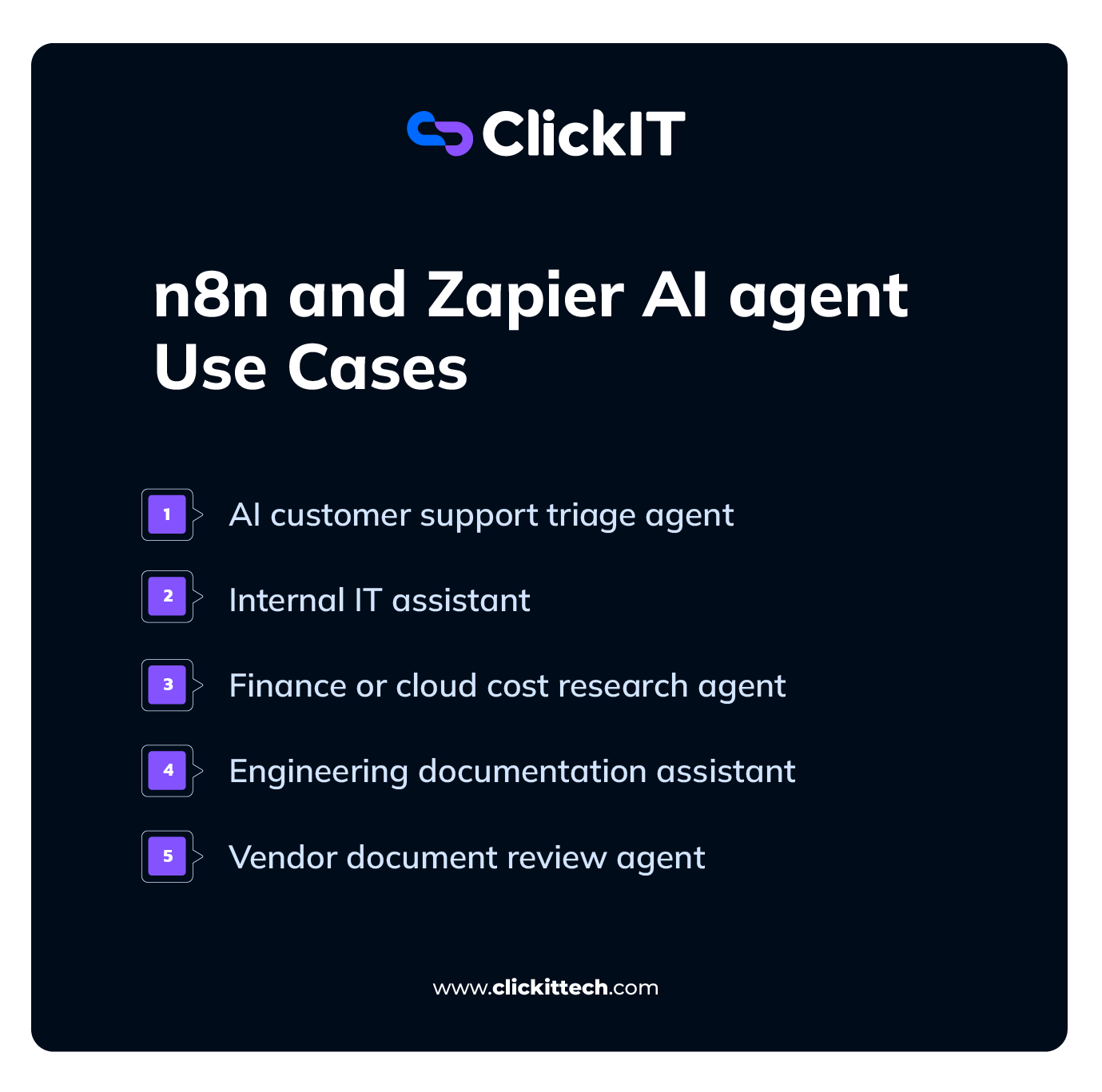
AI customer support triage agent
An n8n support triage agent automates the classification, routing, and resolution of customer inquiries. It chains the AI Agent node, an LLM, and your existing channels so incoming messages can be classified and routed automatically, with low-confidence, sensitive, or high-severity cases escalated to a human.
A typical architecture looks like this:
- Ingestion: Standard n8n triggers monitor and fetch inquiries from Gmail, Jira, web forms, or chat channels like WhatsApp and Telegram.
- AI analysis: The AI Agent node parses the ticket and outputs structured data like intent classification (billing question, bug report, feature request), plus sentiment and urgency. That way a frustrated customer gets prioritized over a routine how-to question.
- Knowledge retrieval: The agent consults a vector database (Pinecone, Weaviate, or Qdrant) to formulate correct, context-aware responses.
- Action and routing: Deterministic If/Else nodes take over: auto-reply with a drafted response, or escalate to the support team in Slack or the CRM for high-severity and low-confidence cases.
Here’s a free AI customer support triage agent template on n8n.
Internal IT assistant
The assistant connects an agent to your chat platform (Slack, Microsoft Teams, or Mattermost) on one side and your documentation and ticketing systems on the other. It works pretty much like the triage agent, with RAG doing the heavy lifting in the middle.
The agent gets tool access to your internal knowledge base, so employees stop digging through wikis. n8n integrates natively with Confluence, Notion, and GitBook, plus cloud drives like Google Drive.
When someone asks how to set up the VPN, the agent searches those sources, extracts the steps, and replies in the chat thread.
If the documentation doesn’t resolve the issue, the agent manages the ticket lifecycle itself: triages priority, drafts the ticket, and pushes it to Jira or ServiceNow. Once an admin closes it, the workflow sends the status update back to the employee’s chat.
Interestingly, you can extend it further with directory and API tools.
Using n8n’s HTTP Request node, the agent can query Microsoft Entra ID for employee details or trigger scripted actions like password resets and account unlocks.
My advice: gate those write actions behind human approval at first. An agent that can unlock accounts is useful. But an agent that unlocks the wrong account is an incident report and a compliance headache.
Here’s a free template for an n8n internal assistant agent.
Finance or cloud cost research agent
Two flavors of the same idea here. The finance version aggregates data through HTTP Request or database nodes (PostgreSQL, Supabase) into structured tables, then puts an agent on top. That could be a Telegram or WhatsApp chatbot that answers natural-language budget questions using SQL tools, plus automated month-end reports where a model like Gemini or GPT analyzes the numbers and delivers a formatted PDF to your inbox.
You can bolt on market research too, pulling stock and crypto data from tools like MarketStack.
The FinOps version is the one we see more often because you’re replacing paid SaaS with a workflow.
It works like:
- Cron triggers fetch billing data from AWS, Azure, and GCP into a single pipeline.
- A supervisor agent delegates to sub-agents (one hunts idle resources, another estimates footprints or forecasts spend).
- Threshold alerts mean if daily costs spike, the agent auto-tags the affected resources and pings the right people in Slack or email.
You can check out this free FinOps template on n8n.
Engineering documentation assistant
I’d say this is the same RAG pattern as the IT assistant, pointed at engineering sources instead. That is, markdown in repos, API specs, architecture docs, and PDFs get embedded into a vector store, and the agent answers API and troubleshooting questions on demand.
The one difference I’d flag is that chunking strategy is more important here. Code samples and API references lose meaning when split carelessly, so this is where you’ll actually use n8n’s document processing nodes rather than accepting defaults.
Vendor document review agent
This agent extracts and standardizes attachments using vision models, checks the extracted metrics (totals, dates, line items) against your company criteria, routes approvals, and flags discrepancies.
Teams use it for:
- Contract analysis: automated compliance checks on SaaS contracts and vendor SLAs, flagging unusual terms, liability limits, and risky clauses.
- Invoice verification: extract line items, dates, and amounts, cross-reference them against purchase orders in Airtable or QuickBooks, and approve for payment.
- Vendor due diligence: compile background data on new suppliers, verify security trust centers and privacy policies, and generate standardized risk scores.
If you want a starting point, n8n publishes a legal document review template that covers the review-and-compliance core of this pattern.
n8n vs Zapier for RAG and Document Workflows
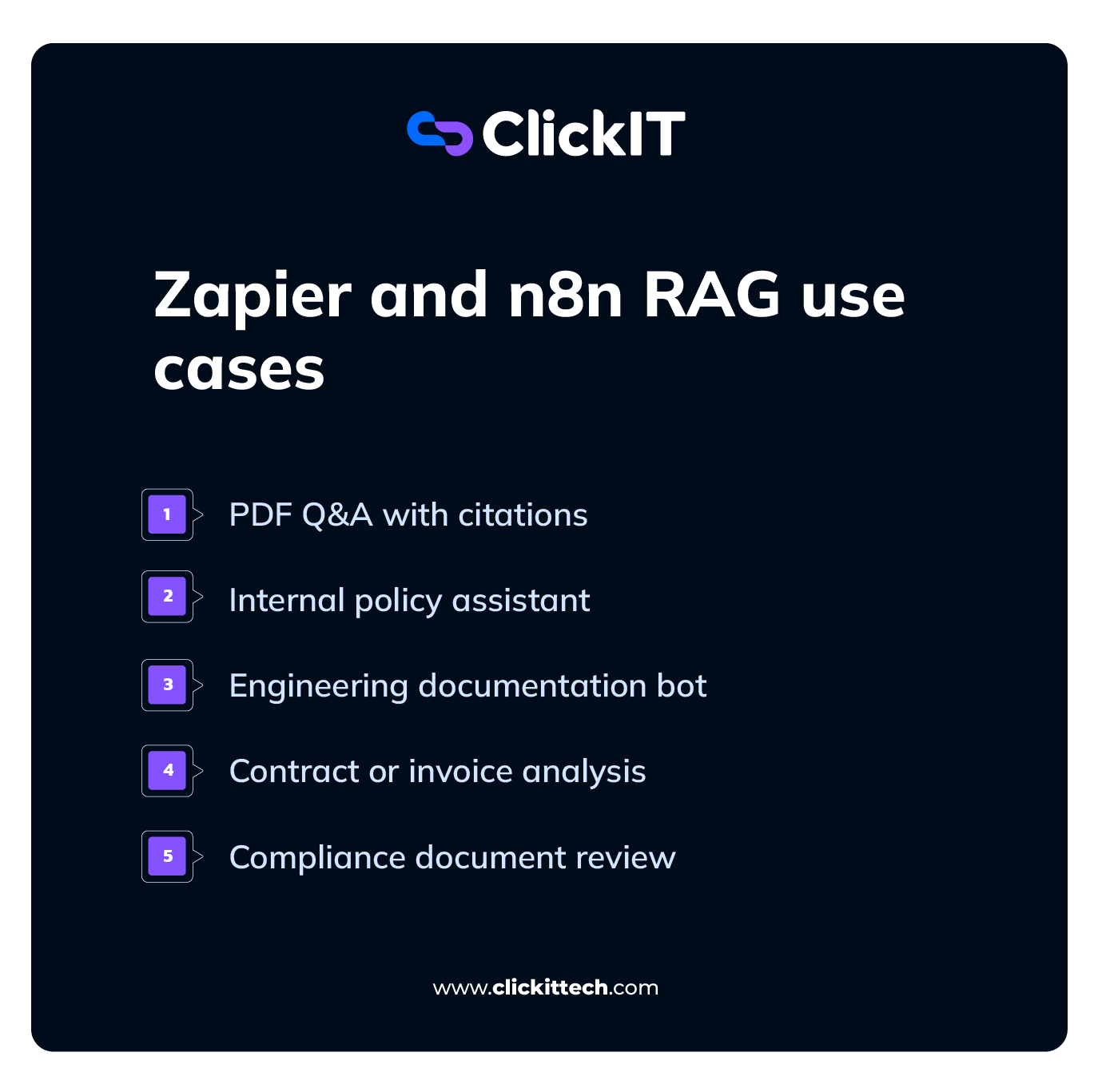
The difference between Zapier vs n8n is more visible during RAG and document workflows.
Zapier gives you a managed pipeline: you upload documents as knowledge sources for a Chatbot or Agent, and Zapier handles the chunking, embedding, and retrieval for you.
With n8n, you own the pipeline itself. You decide how documents get chunked, which vector database stores them, and what the agent retrieves.
One is RAG as a feature, while the other is RAG as an architecture.
I’ve selected five document workflows to show you what that looks like in practice:
- PDF Q&A with citations
For a basic document Q&A workflow, both platforms can extract text and send it to a model.
A true RAG workflow adds several stages: chunk the document, generate embeddings, store the chunks in a vector database, retrieve relevant chunks for each question, and pass those chunks to the model before generating an answer.
Receive file → Extract text → Chunk → Generate embeddings → Store in vector database → Retrieve relevant chunks → Generate answers
n8n: Native LangChain nodes (plus Python or JavaScript where needed) chunk the PDF, generate embeddings, store vectors, and retrieve the most relevant chunks at query time.
Because you control ingestion and retrieval, you can keep each chunk tied to its source and show those sources alongside the answer.
Page-number citations are possible too (if your parser preserves that metadata), but n8n won’t generate reliable page references on its own. The bigger advantage here is traceability, which makes n8n the better choice if users need to verify where an answer came from.
Zapier: AI actions like “Extract Data” and knowledge sources for Chatbots require far less setup, and for straightforward Q&A, they work.
The limits: at the time of writing, individual file uploads to a Chatbot’s knowledge base cap at 2MB each (larger docs have to come in through Google Docs or Notion sources instead), and you don’t control retrieval, so citation rendering at the page level isn’t really available.
- Internal policy assistant
Zapier: Good fit if policies are relatively static and you want employees asking questions against a knowledge base.
Simply connect Google Docs or Notion as knowledge sources (available on the Advanced Chatbots plan), or sync policies into Zapier Tables, and you have a working assistant in an afternoon.
n8n: This is your pick when the policies themselves are sensitive. Connect a local model via Ollama, self-host the workflow, and keep HR or legal data inside your own infrastructure.
Policy assistants sometimes grow. In the long run, they start answering PTO questions and end up needing role-based access to different document sets. This usually happens in larger companies, and Zapier’s managed knowledge feature doesn’t support that within a single chatbot for now (the workaround is a separate chatbot per audience, which gets unwieldy as teams multiply).
- Engineering documentation bot
Building an engineering documentation bot in Zapier is quicker to stand up. You can connect Notion or GitHub, point a Chatbot or Agent at the docs, and it can summarize and answer questions.
For n8n, we covered the full build in the use cases section above, so here’s the short version.
Chunking is the part that usually goes wrong with engineering docs. If a code sample or API reference gets split in the middle, the bot retrieves half a function and answers from it. n8n lets you set the chunking rules yourself; Zapier’s managed pipeline decides them for you.
If your docs are mostly prose, either tool works. If they’re full of code, you’ll want the chunking control.
- Contract or invoice analysis
In n8n, the typical build looks like this:
- A vision model extracts line items, dates, and totals from the attachment.
- IF/Switch nodes check the extracted values against your rules.
- Loops handle multi-page invoices or arrays of contract clauses.
- Then a code node validates the math (do the line items actually sum to the total?) and catches edge cases.
The last step is important because many real invoices are almost standard, and “almost” is what breaks no-code parsers. When an extraction goes wrong, n8n lets you fix it with code rather than a workaround.
Zapier pairs well with a dedicated OCR app like Parseur or Rossum. The app handles extraction, and Zapier pushes the clean data into your ERP or CRM. For moderate volume, it’s the fastest build.
Complex routing is possible with Paths, but the canvas may get cluttered, and every added step raises the per-run task count.
- Compliance document review
n8n can be the strongest fit here, and it’s mostly about where the documents physically go. Self-hosted n8n gives you far more control over where regulated files are processed, which simplifies compliance.
Zapier processes your documents on its cloud, and it’s a SOC 2 Type II compliant platform, so this isn’t a security indictment. The issue is that some regulatory regimes and internal policies restrict sensitive data from transiting third-party processors at all.
Bottom line: if you’re processing highly sensitive contracts and have developer support, n8n gives you data control and per-document costs that stay flat. If you need quick setup, broad app support, and an easier learning curve for basic document extraction, Zapier is the better choice.
What Teams Should Evaluate: When to use n8n vs Zapier?
Because the feature pages won’t settle this for you, I’ve listed eight factors you should think about when deciding between Zapier vs n8n. None of them make either tool worse; they just tell you which model you’re buying into and what you should expect.
- Workflow Complexity
Zapier is primarily step-oriented: workflows are easier to understand as a trigger followed by ordered actions,. Paths, loops, sub-Zaps, and error handlers are added when needed.
n8n uses a node-based graph. Linear logic is easy to reason about, easy to hand off, and covers most trigger-action work.
If the workflow you need is a step-by-step sequence, where one trigger sets off a few actions in order, then Zapier is for you.
n8n’s graph model is built for depth: nested workflows, loops, parallel branches, and merges on one canvas. In Zapier, the same outcomes take nested Paths or multiple coordinated Zaps.
Your Decision: If you can describe your workflow in one sentence, Zapier’s model fits it. If you’d need a diagram, that’s the graph model’s job.
- Data Sensitivity
Zapier is cloud-only, so your data transits Zapier’s servers. That’s a fully managed, SOC 2 Type II compliant cloud, and for most workloads it’s exactly the arrangement you want.
n8n can be self-hosted, keeping data inside your own network to meet data residency and compliance requirements. This matters in heavily regulated industries like healthcare, financial services, and government. Spaces where strict data residency rules can decide the question before anyone even considers features.
Your Decision: If strict data residency rules apply, self-hosted n8n may provide the necessary architecture. But this can only happen if the complete workflow, including models, storage, logs, backups, and external services, complies with the required location and access restrictions.
If you’re a SaaS team automating marketing ops and CRM syncs, Zapier works fine.
- API Requirements
Zapier’s model is the catalog: 9,000+ managed integrations, maintained for you, and updated when the underlying APIs change. Connecting something outside the catalog means webhooks or building a private app.
n8n’s model is the toolbox: an HTTP Request node for any API, plus JavaScript or Python to clean up payloads in transit and chain calls into reusable sub-workflows.
Your Decision: Count your internal and niche systems (specific to you/your industry only). If it’s zero or one, Zapier’s catalog serves you. If it’s several, n8n’s toolbox starts paying for itself.
- Error Handling
Every automation fails eventually. An API times out, a field comes back empty, a service goes down. What I’m comparing here is what each platform does next.
In Zapier, recovery is mostly automatic. On paid plans, autoreplay retries a failed step up to five times on a backoff schedule, with the final attempt landing roughly ten hours after the first error.
You can also attach an error handler to any step, so if it fails, the Zap runs an alternative set of actions instead of stopping (send an alert, log the failure, try another route).
There are two things to know here: Publishing a Zap with an error handler switches off autoreplay for that Zap, so you choose one recovery style per workflow. And while autoreplay is active, Zapier holds error notification emails until the final attempt fails, which means a workflow can quietly retry for most of a business day before anyone hears about it.
In n8n, you design recovery. Each node has its own retry settings (how many attempts, how long to wait between them). Failures can trigger a separate error workflow that alerts your team or parks the failed run somewhere for review. And you can stop a workflow on purpose when the data looks wrong, before it does damage downstream.
Your Decision: If automatic retries and an error handler cover it, Zapier does the recovery thinking for you. If you want to decide how each step recovers, that’s n8n.
- Human Approval
Both platforms treat this as a first-class need now, at different depths. Zapier’s built-in Human in the Loop pauses a Zap until a reviewer approves, edits, or rejects the data, with decisions logged in history. Reviewers need Zapier accounts.
n8n pauses workflows with Wait nodes and approval steps sent through Slack, email, or a form. The approval logic is yours to shape: multi-stage sign-offs, conditional escalation, whatever the process demands.
Your Decision: For a straightforward “manager approves before send,” both work. For longer approval chains with their own logic, n8n makes more sense.
- Observability
When a workflow fails, the first thing you’ll want to know is what the data looked like at the exact step where it broke. n8n stores granular execution data for every node run, so you can inspect the exact input and output of any step in a failed workflow.
Self-hosted instances expose metrics for Prometheus and can feed logs into stacks like Datadog, which means your automation shows up in the same dashboards as the rest of your systems. Zapier provides Zap History with run-level detail, which answers “did it run and what happened” well.
In my experience, following the exact data through every step of a complex failure is where you’ll feel the difference, and it only matters if your team debugs that way.
Your Decision: If nobody on the team would open Datadog anyway, this factor shouldn’t drive your decision.
- Security and Access Control
Two different responsibility models. With Zapier, the platform carries the operational security load (infrastructure, patching, uptime) and gives you team folders, SSO, and admin controls to manage access.
With self-hosted n8n, your team carries that load: server hardening, patching, network rules, plus your own RBAC, environment separation (dev/staging/prod), and CI/CD for workflow deployments. n8n’s advanced tiers support fine-grained RBAC and environment management natively.
Your Decision: Both models can be secure. The decision is whether your team manages the controls or Zapier does.
- Scalability and Cost at Volume
Zapier primarily bills according to successful actions. Not every step is billable (triggers, Filters, Paths, and Formatter steps don’t count), while some AI and MCP operations can consume multiple tasks.
n8n Cloud prices around workflow executions rather than charging for every successful action. The self-hosted Community Edition does not impose per-execution platform charges. But infrastructure, model usage, external APIs, storage, monitoring, and engineering time still contribute to the total cost. Paid self-hosted n8n plans have separate commercial terms.
Your Decision: For high-volume, multi-step workflows (data loops, agent runs with many tool calls), choose n8n. For lighter or shorter workflows, Zapier’s per-task model stays predictable, and the math never gets scary.
| Factor | Use Zapier If | Use n8n if |
| Workflow complexity | Your workflows run straight from a trigger to a few actions | Your workflows loop, branch, or depend on earlier steps |
| Data sensitivity | Your data can pass through a trusted third-party cloud | Your data has to stay on your own servers |
| API requirements | The apps you use are already in Zapier’s catalog | You connect to internal or unusual systems |
| Error handling | Automatic retries are enough | You want to decide how each step recovers |
| Human approval | A simple approve-or-reject step covers it | Approvals pass through several people or conditions |
| Observability | You just need to see whether a run worked | You need to trace exactly where and why it failed |
| Security and access | You’d rather Zapier handle the security upkeep | Your team handles its own security |
| Cost at volume | You run fewer or shorter workflows | You run long or heavy workflows constantly |
Does your workload have specific requirements I didn’t cover? Speak to one of our engineers now.
Frequently Asked Questions
Neither is better outright. Zapier is the stronger choice for non-technical teams that need quick, no-code setups across popular apps. n8n is the stronger choice for developers, high-volume workflows, and AI agents that need custom logic or self-hosting.
Zapier is the easiest to learn and has the largest app catalog. Make (formerly Integromat) offers visual flexibility at lower per-operation pricing. n8n is the most technical of the three, built for self-hosting, custom code, and complex AI workflows.
For technical teams, usually yes. n8n covers the same automation patterns and adds custom code, self-hosting, and AI agent orchestration. However, Zapier has far more prebuilt integrations, so replacing some connections in n8n means building them yourself with the HTTP Request node.
There’s no single best tool. Zapier is the strongest pick for non-technical users adding AI steps to everyday workflows. n8n is the strongest pick for developers building custom AI agents, RAG pipelines, or automations that must run on their own infrastructure.