This post is my practical map of generative AI tools for image and video creation. I explain which tools I use, what each one is good at, and when they make sense in real projects, especially for fast prototyping, marketing, and production-ready visuals.
Blog Overview
- Experimental tools (mainly from Google’s ecosystem) shine at speed: remixing images, structuring early video ideas, and making precise edits with natural language, all without burning credits too early.
- Production-ready image tools are where quality matters most: open-source models now rival paid ones for realism, while specialized tools still win for artistic direction or text-accurate visuals.
- AI video is usable today, but only in short, controlled formats: low-cost tools are great for concepts and social clips, while premium tools are reserved for final, approved renders due to cost and iteration limits.
- The real leverage comes from process, not models: expect multiple iterations, always upscale for production
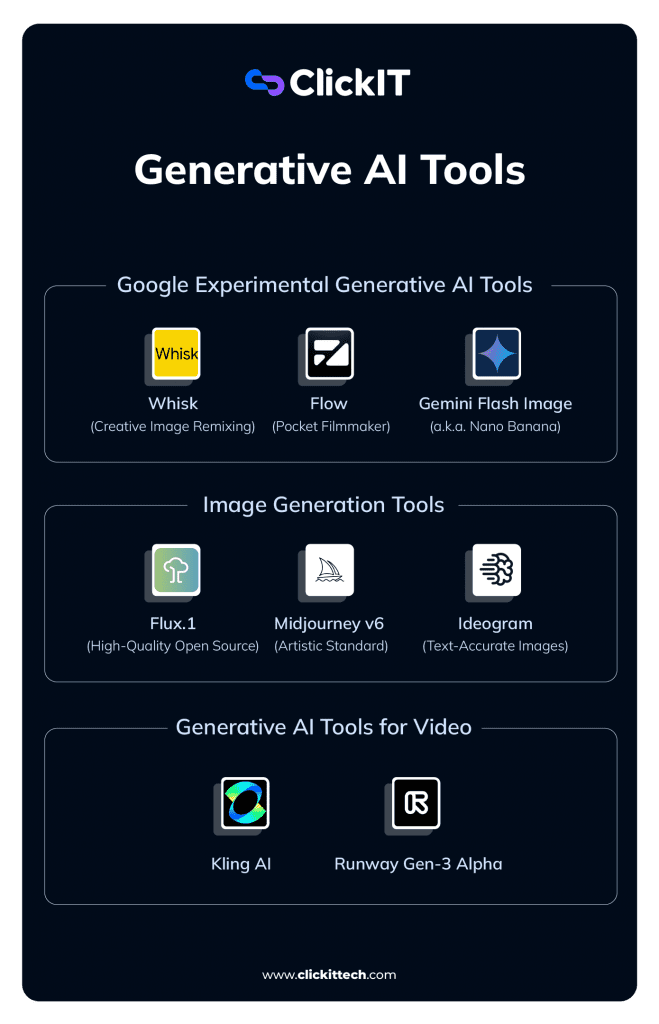
Experimental Generative AI Tools (Google Ecosystem)
These are the tools I use when I want to move fast, test ideas, and avoid spending credits too early. Perfect for brainstorming, creating images, or surprise me moments.
Whisk (Creative Image Remixing)
Whisk mixes images instead of relying on long prompts.
Whisk works by combining:
- A subject image
- A scene image
- A style image
The model blends them into a new visual. I’ve seen marketing teams use Whisk to change backgrounds or artistic styles without losing product identity. It’s especially useful when the task is simply to create image variations quickly.
Cost: Free (currently, via Google Labs).
Flow (Pocket Filmmaker)
Flow helps structure short videos like scenes, not random clips.
With Flow, I can build short, coherent video sequences while keeping character and visual consistency.
I mainly use it for:
- Animated storyboards
- Early social media concepts
- Testing video ideas before final production
Gemini Flash Image (a.k.a. Nano Banana)
This is my go-to tool for precise image edits using natural language.
Behind the funny nickname is Gemini Flash Image. I can say things like “replace the red cup with a blue metallic one”, and it works without breaking the rest of the image.
Why it matters:
- Understands plain English
- Great for quick edits
- Can generate readable text inside images
It’s especially useful when I need to analyze images or make small, controlled changes.
Image Generation Tools (Production-Ready)
These are the tools I use when quality actually matters, not just speed.
Flux.1 (High-Quality Open Source)
Flux proves open source image generation can compete with paid models.
Flux.1 stands out for:
- Strong realism
- Much better human anatomy
- Local GPU or API-based usage
For engineering teams that want control and flexibility, this is a serious option.
Midjourney v6 (Artistic Standard)
This is still my default when visuals must look great immediately.
Midjourney v6 has the strongest artistic eye, lighting, textures, and mood feels cinematic right away.
The downside is workflow. Discord isn’t ideal for automation, so I mainly use it for final creative direction, not pipelines.
Ideogram (Text-Accurate Images)
When text inside the image matters, this is the safest choice.
Ideogram is the one I trust for:
- Logos
- Posters
- T-shirts
- Any design where text must be readable
If the task is to help me write text inside an image, Ideogram saves time and frustration.
Generative AI Tools for Video (Commercial Use)
AI video is usable today, but mainly in short, controlled formats.
Kling AI
Kling delivers strong physics and motion with low entry cost.
Kling AI produces short videos (5–10 seconds) with surprisingly realistic movement, water behaves like water, and fabric moves naturally.
I use it for:
- Short social clips
- Concept validation
- Fast experiments
It also offers free daily credits, which lowers friction.
Runway Gen-3 Alpha
This is the tool I reserve for final renders.
Runway Gen-3 Alpha offers precise control, including motion brushing to decide exactly what moves.
It’s expensive, so I don’t iterate here. I only use it when everything is already defined and approved.

Senior-Level Lessons From Using Generative AI Tools
Most failures with generative AI tools don’t come from bad models. They come from weak processes, unclear ownership, and unrealistic expectations.
After using these tools across marketing, product, and engineering teams, these are the lessons that actually move the needle:
- The first output is rarely usable
I treat the first result as raw material, not an asset.
Real productivity comes from generating multiple variants, comparing them, and refining one direction. Teams that plan for 3–5 iterations get better results faster than teams expecting “one-shot magic.” - Upscaling is not optional for production.
Most generative AI tools output images around 1024px. That’s fine for previews, not for clients.
Before anything goes live on the web, ads, decks, or video thumbnails. I always upscale. Skipping this step is one of the fastest ways to make AI-generated content look “cheap.” - People’s data requires extra caution.
Uploading employee or customer photos to public tools creates legal and trust risks.
Tools that run on public platforms (especially Discord-based ones) should be treated as non-private by default. For sensitive data, I only use tools with clearer enterprise or commercial guarantees. - Process beats novelty
Chasing the newest model rarely fixes workflow issues; clear steps on who creates, who reviews, and who approves matter more than switching tools every month.
These habits consistently save more time and money than adopting the latest release.
Generative AI becomes useful when you choose tools by intent, not by hype.
I don’t try to use every generative AI tool available. I choose based on what I’m trying to do right now:
- Make a plan: outline, structure, and direction
- Create image assets: visuals that support a message
- Brainstorm ideas: explore options without commitment
- Analyze images: refine, edit, or improve existing assets
- Produce final video: polished output for external use
When tools are matched to the mission, generative AI feels like leverage.
When they’re not, it becomes noise.
That simple filter keeps my stack effective rather than overwhelming.
FAQs
Generative AI tools create new content such as images, video, or text based on patterns learned from large datasets.
They are well-suited for ideation and prototyping. Final production usually requires paid or self-hosted tools for quality and control.
Yes. Most professional workflows combine multiple tools, each optimized for a specific task.
Only when platforms provide explicit commercial and privacy guarantees, public tools may retain or expose uploaded content.