In this guide, I’m going to walk you through the why and the how to migrate from Vercel to AWS. We’ll talk about the real-world trade-offs and how you can make the switch without losing that slick developer experience you’ve grown used to.
Are you paying for convenience without realizing just how much it’s actually biting into your margins?
If you’ve built a modern web app lately, there’s a good chance you did it on Vercel. And why wouldn’t you? The experience is honestly great. You get instant deployments, perfect Next.js integration, and a “zero-DevOps” setup that feels like magic when you’re just trying to get an MVP off the ground.
But here’s the reality: as your traffic grows, so does that bill.
At some point, almost every growing team hits a wall and starts asking the same question: Is it time to migrate from Vercel to AWS? It’s not that Vercel isn’t a solid product; it is.
But it’s essentially an abstraction layer. Under the hood, platforms like Vercel are largely built on top of cloud giants like Amazon Web Services(AWS). You’re essentially paying for AWS infrastructure, plus a significant “convenience markup.”
We call this the “Vercel Tax.”
You aren’t just paying for compute, storage, or bandwidth. You’re paying for the luxury of not having to think about it. While that trade-off is a no-brainer for early-stage products, it becomes a much harder pill to swallow at scale.
This is exactly why we’re seeing a shift. More teams are choosing to cut out the middleman and migrate from Vercel to AWS. The goal? Full control over the stack and a cost reduction that often hits 5x to 10x. And honestly? With the modern IaC (Infrastructure as Code) tools we have today, this move isn’t the “DevOps nightmare” it used to be.
Blog Overview
- Vercel is built for speed. It is the gold standard for getting a project off the ground. You get instant deployments and zero infrastructure headaches. It’s the right choice for MVPs and small teams.
- The trade-off is the “Convenience Tax.” As traffic scales, Vercel’s pricing, specifically for bandwidth, can climb aggressively. You are paying for the platform to manage the complexity.
- AWS is built for scale. When you migrate from Vercel to AWS, you gain full ownership of your infrastructure, which typically leads to 5x to 10x cost savings at high volumes.
- The catch is responsibility. On AWS, it is “from ‘it just works’ to we own architecture, security, and performance.”
- The Recommended Path: SST with OpenNext is the “sweet spot” for most teams: cost savings and a great developer experience.
Should you migrate Vercel to AWS?
- Yes, if your app is growing, and your costs are rising and you want to own infrastructure
- No, if you are in the MVP phase, moving fast, and do not have DevOps bandwidth available.
| Factor | Vercel | AWS |
| Best For | MVPs & fast iteration | Scaled production systems |
| Setup | Zero-config | Requires DevOps/IaC |
| Cost at Scale | High (Convenience Tax) | Lower (optimized usage) |
| Control | Limited | Full ownership |
When should you actually move from Vercel to AWS?
Deciding to leave Vercel isn’t a critique of the platform itself. It’s actually a high-quality tool for what it’s built for. The real decision factor is where your product stands in its lifecycle.
Vercel is built for one thing: to get code live with zero friction. AWS is built for the long game: scalability, infrastructure control, and preserving your margins. The answer isn’t which is “better,” it’s when to migrate from Vercel to AWS based on the problem you’re trying to solve.
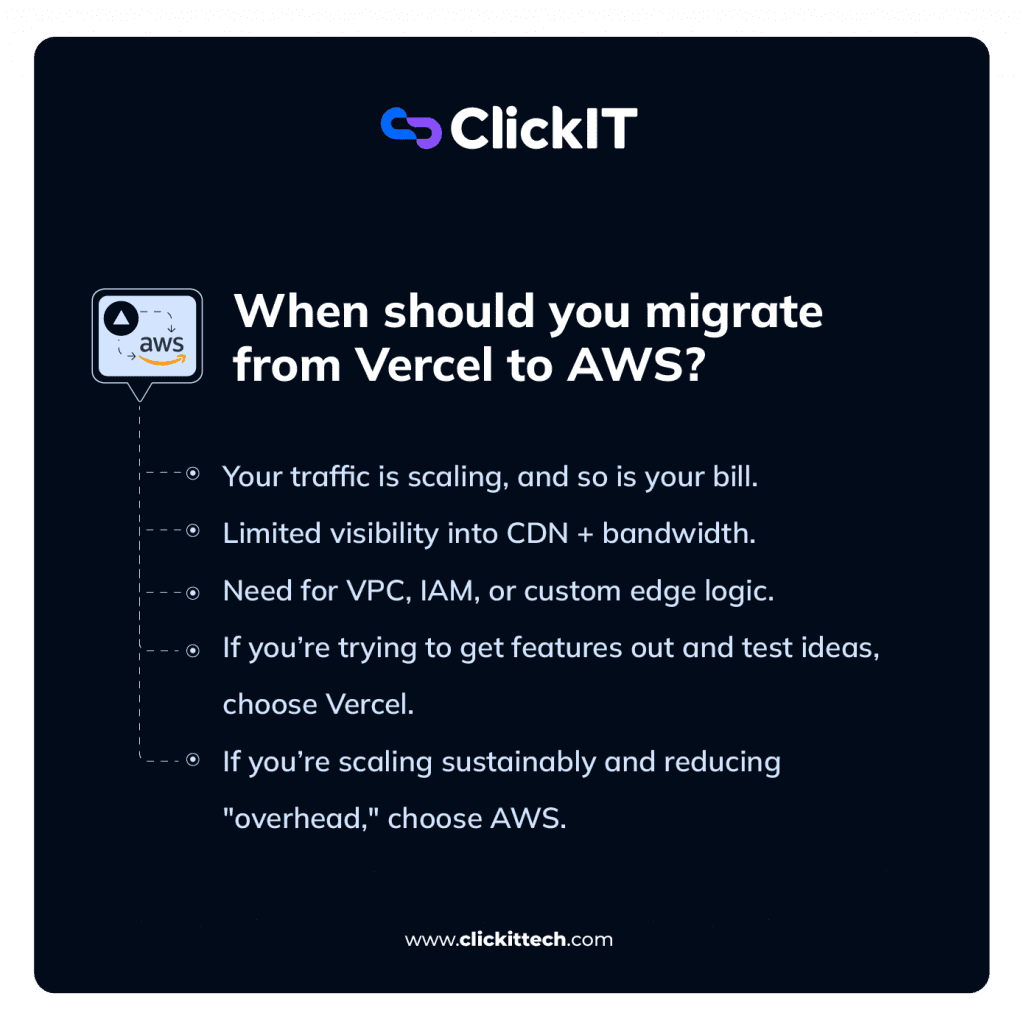
The Decision Framework
If you’re still undecided, think about what you’re optimizing for now:
- Speed of Development: If you’re trying to get features out and test ideas, stick with Vercel. “Developer joy” and preview environments are worth the cost for the early stages.
- Operational Efficiency: If you’re now focused on scaling sustainably and cutting down on “overhead,” AWS becomes the logical next step.
Migration typically makes sense the moment you realize you’re spending more time managing the cost of your platform than you are building the product.
When Migrating Makes Sense
- Your traffic is scaling, and so is your bill.
In the beginning, a few extra dollars for convenience don’t matter. But as you hit thousands of users, Vercel’s pricing can start to scale aggressively. Moving to AWS lets you break that link.
By moving assets to Amazon S3 and fine-tuning AWS Lambda configurations, you can often cut compute costs by half or more because you’re no longer paying for Vercel’s management markup.
- Bandwidth has become a major line item.
This is often the “hidden” cost that surprises teams. Because Vercel abstracts the CDN, you lose the ability to really dig into your delivery metrics.
On AWS, using CloudFront gives you the actual knobs you need to enforce aggressive caching, minimize origin hits, and lower your global delivery costs significantly. If your app is media-heavy, this move usually pays for itself almost immediately.
- You’re “fighting” the abstraction.
Abstraction is great until it isn’t. Eventually, you might need a private VPC, specific IAM roles for security compliance, or advanced edge logic that a managed platform just won’t allow.
If your engineers are spending their days building “hacks” to get around platform limitations, you’ve outgrown the abstraction. It’s time for full infrastructure ownership.
When You Should NOT Migrate Vercel to AWS
It’s just as important to know when not to migrate. I’ve seen teams move too early and regret it.
- You’re still in the MVP phase:
Don’t trade 20% faster feature development for 10% cheaper infrastructure if you haven’t even found product-market fit yet. - You lack DevOps bandwidth:
AWS is powerful, but it is also high-maintenance. There is a cost associated with managing Infrastructure as Code and security policies. If your team is small and purely product-focused, the “headtax” cost of managing an AWS environment might be higher than your Vercel bill. - The math doesn’t check out:
Moving takes time, weeks of engineering hours. If you’re spending $5,000 in developer time to save $200 a month on hosting, you’re losing money.
Vercel vs. AWS: The Real Cost of Convenience
When teams compare Vercel and AWS, the conversation usually starts with a pricing table. But if you’ve spent enough time managing production stacks, you know it’s rarely just about the dollars. It’s about the trade-off between how much you pay and how much control you’re willing to give up.
The interesting part? Those two things are actually two sides of the same coin.
Understanding the “Vercel Tax”
Vercel makes deployment feel like magic. You push code, and everything; SSL, global CDN, serverless routing, just works. No terraform scripts, no IAM headaches, no 2:00 AM server alerts.
But that magic isn’t free. You’re paying for a highly polished abstraction layer. Early in a project’s life, that “Vercel Tax” is a bargain because it buys you speed. However, as your app scales, you stop paying for resources and start paying a massive premium just for the convenience of not having to look under the hood.
Bandwidth: The Point of No Return
Bandwidth is usually where the honeymoon phase ends. On the Vercel Pro plan, you get 1 TB included, but once you cross that line, overages hit you at roughly $0.15 per GB (about $15 per 100 GB).
Compare that to Amazon CloudFront, where you’re typically looking at $0.08 to $0.12 per GB ($8 to $12 per 100 GB). At first glance, a 1.5x difference doesn’t seem like a dealbreaker. But the real gap is hidden in the implementation.
On Vercel, you don’t fully control how your content is cached or how image optimization and edge functions inflate your usage. On AWS, you can get surgical. You can fine-tune CloudFront to cache more aggressively, reducing the requests that ever hit your origin. It’s not just that the GBs are cheaper on AWS; it’s that you can often serve fewer of them to get the same result. This is why teams often see their actual bills drop by 3x to 5x after migrating.
| Model | Pricing | Bandwidth Included | Overage / Usage | Notes |
| Vercel Pro | ~$20/month | 1 TB included | ~$0.15/GB after | Simple, bundled pricing |
| Amazon CloudFront (Pay-as-you-go) | No base cost | 1 TB/month free | ~$0.08–$0.12/GB after (region & tier-based) | Usage-based, request charges apply |
| Amazon CloudFront (Flat-rate) | $0 / $15 / $200 / $1000 per month | Included usage (plan-based, up to ~50 TB) | No overages | Predictable pricing, includes CDN + WAF + DNS |
Compute and Storage: Black Box vs. Toolbox
Both platforms handle your backend using serverless functions, but the experience is night and day:
- Vercel: Everything is abstracted. You don’t think about memory allocation or execution time, which is great for productivity, but bad for optimization.
- AWS Lambda: You have total control. You can tune your memory and execution settings to hit the sweet spot between performance and cost.
The same goes for storage. On AWS, you use Amazon S3 for files and CloudFront for delivery. This separation is powerful because it lets you optimize each layer independently.
On Vercel, it’s all bundled. That’s simpler, sure, but it’s also a lot less transparent when you’re trying to find out why your bill spiked last Tuesday.
The Shift from “Managed” to “Owned”
Cost matters, but the shift in ownership is the real game-changer.
- With Vercel, you’re working within their boundaries and accepting their defaults. You’re a tenant.
- With AWS, you’re the architect. You define the permissions via IAM, you design the networking, and you control the routing.
This brings us to the ultimate trade-off: Developer Experience vs. Operational Responsibility. Vercel is “Push code → Deploy.”
AWS is “Write Infrastructure as Code → Configure Services → Manage Security.” AWS gives you incredible power and lower costs, but it expects you to know what you’re doing.
Choosing Your AWS Migration Strategy
So, you’ve run the numbers and decided it’s time to move off Vercel. The next question isn’t just “how,” but rather: What is the right way to run a Next.js app on AWS?
This is where it gets interesting. Unlike Vercel, which gives you one highly opinionated path, AWS gives you a toolbox. You have multiple ways to deploy, each with its own set of trade-offs regarding cost, complexity, and how much “DevOps” your team is actually ready to handle.
Thinking in Trade-offs, Not Just Tools
Before you pick a service, you need to be honest about your team’s capacity. Are you optimizing for maximum simplicity or maximum control? In the AWS ecosystem, you rarely get both at the exact same time.
Option A: AWS Amplify (The Path of Least Resistance)
Amplify is the best choice if you’re looking for a solution that’s most similar to Vercel. AWS Amplify was created to do the heavy lifting for you: “Git-based deployments, preview environments, and hosting are handled with minimal configuration.”
- When to use: You’re new to AWS, you need to migrate quickly, or you don’t need advanced infrastructure for your application.
- The Reality Check: “Amplify is easy to use, but at the end of the day, you’re still dealing with an abstraction. You’ll have fewer options for advanced architectures, and you might find that some of the edge-case features of Next.js just aren’t as customizable as you’d like.”
The Verdict: AWS Amplify is a gateway to AWS, not infrastructure.
Option B: SST + OpenNext (The “Goldilocks” Path)
For most production-grade Next.js apps, this is the strategy I usually recommend. SST (Serverless Stack) combined with OpenNext allows you to run Next.js natively on AWS primitives like Lambda, S3, and CloudFront.
- What you get: Full support for SSR, ISR, and image optimization, all wrapped in a great Infrastructure as Code (IaC) experience.
- Why it’s the sweet spot: You get the cost benefits of using AWS and the benefits of “real” infrastructure ownership without rolling your own custom deployment engine.
The Catch: It’s not “zero-config.” You need a basic understanding of AWS concepts, and it’s still your responsibility for optimization and debugging of your stack.
The Verdict: It makes for a significantly better developer experience, but it still doesn’t change the fact that a DevOps approach is necessary.
Option C: Containers using ECS or Fargate
Are you tired of serverless “cold starts”? Do you have high, consistent, and high-traffic applications? Then, using a containerized approach (Docker) on Amazon ECS or Fargate might be the way to go.
- The Upside: You get a predictable environment, no cold starts, and absolute control of your environment.
- The Downside: It is a more complex approach. You will incur a higher cost of running your services, as they will always be running, and you will need a much more robust DevOps team to handle containerization.
The Verdict: This is for teams with high-scale, latency-sensitive applications who want maximum performance and are willing to pay the operational “head tax” to get it.
A Practical Framework for Choosing
Instead of over-engineering the decision, ask yourself where you fall on this spectrum:
- Need it done yesterday? Go with Amplify.
- Need the best balance of cost and scale? Go with SST + OpenNext.
- Need absolute performance and custom runtimes? Go with Containers.
My Real-World Recommendation
If you’re coming from Vercel and want to move away from their service for any reason, I would recommend using SST + OpenNext.
Firstly, it gives you a Next.js-like experience and immediate cost savings while providing a path for scaling out. More importantly, it gives you a chance to take ownership of the stack for your team instead of trying to make a huge “big-bang” architectural change all at once.
Step-by-Step: Migrating Vercel to AWS with SST Ion
- What are SST and SST Ion?
If you’ve spent any time in the AWS ecosystem, you know that “serverless” can still feel like a massive operational headache. SST (Serverless Stack) was designed to solve that. It’s an Infrastructure as Code (IaC) framework that lets you deploy a full-stack app; S3, Lambda, CloudFront, the works; without needing to be a CloudFormation specialist. Essentially, it bundles the complex parts of AWS into a single, manageable configuration. - The real story right now, though, is SST Ion (v3).
For years, SST was built on top of the AWS CDK. It was reliable, but it was notoriously slow. You’d hit “deploy,” go grab a coffee, and just hope the stack didn’t get stuck in a ten-minute rollback loop. SST Ion is a complete ground-up rewrite of that engine. It ditches the CDK in favor of a new model built on Pulumi, which means deployments now happen in seconds rather than minutes. - The Evolution: v2 → Ion
- SST v2:
This was the reliable workhorse. It made AWS accessible for developers, but it was still tied to the heavy, often sluggish lifecycle of the AWS CDK. - SST Ion (v3):
This is the high-performance successor. It’s lightning-fast and introduces multi-provider support, meaning you can finally manage your AWS infrastructure and other services (like Cloudflare) within one unified config.
- SST v2:
- The Bottom Line: Ion is the reason migrating from Vercel no longer feels like a “DevOps nightmare.” It gives you the deployment speed you’re used to, but with the raw power of AWS underneath.
If you’ve decided the “Vercel Tax” is no longer worth it, here is exactly how you migrate from Vercel to AWS.
Step 1: Prep Your Environment
Before touching the code, you need to make sure your local machine and your AWS account are on speaking terms.
- AWS CLI: Run aws configure. You’ll need an IAM user with enough permissions to spin up S3, Lambda, and CloudFront.
- The Standalone Switch: Next.js needs a specific nudge to bundle correctly for a serverless environment. Open your next.config.js and add this:
JavaScript
module.exports = {
 output: "standalone",
};
Step 2: Initialize SST
Navigate to your project root and run:
npx sst@latest initThis runs the init command from the latest version of Serverless Stack (SST) without requiring a global installation. SST will scan your files, realize you’re running a Next.js app, and ask which provider you want to use. Choose AWS. This command scaffolds your sst.config.ts, which is now the “brain” of your infrastructure.
Step 3: Define Your Infrastructure
Open up that new sst.config.ts. In Ion, we use the $config helper. This is where you tell AWS how you want your app to behave. Here’s a standard setup:
export default $config({
 app(input) {
   return {
     name: "my-app",
     // Protect your production infra from accidental deletion
     removal: input?.stage === "production" ? "retain" : "remove",
     home: "aws",
   };
 },
 async run() {
   // We use 'link' to securely pass secrets to our app
   const dbUrl = new sst.Secret("DATABASE_URL");

   new sst.aws.Nextjs("MyWeb", {
     path: ".",
     link: [dbUrl],
   });
 },
});
Step 4: Handle Your Secrets
You don’t want your database strings sitting in a .env file where they can be leaked. Use the SST CLI to store them securely in AWS:
sst secret set DATABASE_URL your-production-db-url
Step 5: The “Live” Test
Before you ship anything to the world, run:
sst devThis is the “Live Lambda” feature, and it’s a lifesaver. It runs your Next.js app locally but “links” it to your real AWS resources. You can test your actual database connections and S3 buckets in real-time before you ever hit deploy.
Step 6: Go Live
When you’re ready to flip the switch:
sst deploy --stage prodSST will bundle your app via OpenNext and provision your CloudFront distribution (CDN), S3 buckets, and Lambda functions. At the end, it’ll spit out a CloudFront URL (e.g., d123.cloudfront.net).
Step 7: DNS & Decommission
- Point Your Domain: Take the CloudFront URL and update your DNS records based on your domain type:
- If you’re using a subdomain (e.g., www.example.com):
→ Create a CNAME record pointing to your CloudFront URL - If you’re using the root domain (e.g., example.com):
→ Create an A record (or ALIAS/ANAME depending on provider) pointing to your CloudFront distribution
- Verify: Once that DNS has propagated, you’ll want to do a final walkthrough of the site.
- The Final Cut: Once you’re 100% sure that everything is good on the AWS side, you can finally go to the Vercel dashboard and delete the project.
The Final “Ion” Workflow
The workflow is easy: sst init -> Define Config -> sst dev -> sst deploy -> Switch Domain.
Replacing “Vercel Features” on AWS
The biggest worry I hear when teams talk about leaving Vercel is: “Am I going to lose all the features that made my life easy?”
The short answer is no. But the real answer is more important: You won’t lose the functionality, but you will move from using pre-packaged features to assembling them yourself using AWS primitives. Vercel gives you the finished meal; AWS gives you the professional kitchen.
Here is how the “magic” of Vercel translates into the building blocks of AWS.
Image Optimization
On Vercel, next/image just works. Behind the scenes, they are dynamically resizing, caching at the edge, and optimizing formats without you lifting a finger.
- The AWS Swap: If you’re using SST with OpenNext, this is handled by a combination of AWS Lambda for on-the-fly processing, Amazon S3 for storage, and CloudFront for the actual delivery.
- The Shift: You gain total control over your caching headers. You decide exactly how aggressively an image stays in the cache, which can drastically cut down on repeated transformation costs. It’s more setup, but it’s significantly more cost-efficient at scale.
Incremental Static Regeneration (ISR)
ISR might be the “killer feature” of Next.js. It enables static page generation but in the background regenerates them to keep content fresh without needing to rebuild the site.
- The AWS Swap: With OpenNext, your static pages are stored in S3, but your regeneration logic runs in Lambda. Often, Amazon DynamoDB is used to track your metadata and revalidation times.
- The Shift: You are shifting away from “it just works” to a more explicit management of cache invalidation. It’s a bit more complicated to debug at first, but it gives you the power to optimize your performance for certain routes.
API Routes & Serverless Functions
Your /api directory on Vercel automatically deploys as serverless functions. Zero config.
- The AWS Swap: These run on AWS Lambda, usually fronted by API Gateway or CloudFront.
- The Shift: This is where the DevOps power comes in. You get to decide the memory allocation, the timeout limits, and exactly how the functions scale. You move from “it just works” to “I decided how it works.”
Preview Environments
Everyone loves Vercel’s automatic preview links for every Pull Request. It’s a massive boost for collaboration.
- The AWS Swap: You can replicate this using SST Stages (creating a temporary “preview” stage for a PR) or via AWS Amplify’s built-in preview URLs.
- The Shift: Not as “automatic” as Vercel. You will need to bake this in to your CI/CD pipeline, etc., and define your own rules for cleaning up. More work upfront, but much more flexible for complex test cases.
The “Under the Hood” Services
| Vercel Feature | AWS Equivalent | What Changes? |
| Edge Functions | Lambda@Edge / CloudFront Functions | More granular control over the request lifecycle. |
| Env Variables | AWS Secrets Manager / Parameter Store | Much more secure and integrates with IAM policies. |
| Logging | Amazon CloudWatch | More powerful logs, but requires setting up your own dashboards. |
The Bigger Picture
What you give up when you leave Vercel is not functionality, it is your relationship.
- On Vercel: Features are built-in. You get a polished, all-in-one experience, but you hit a ceiling quickly.
- On AWS: Features are assembled. You have full control, but you are responsible for the configuration.
AWS gives you everything Vercel does and a lot more. It just expects you to understand the pieces, put them together, and optimize them for your specific use case. Once you get past that initial learning curve, that’s where the real architectural power lies.
Security & Performance: Moving from Implicit to Explicit
When you migrate from Vercel to AWS, the biggest mental shift is this: You are moving from “security by default” to “security by design.”
On Vercel, most of the heavy lifting, SSL certificates, infrastructure hardening, and basic DDoS protection, is handled for you behind the scenes. On AWS, those same capabilities are there (and often more powerful), but they aren’t “magic” anymore. You have to configure them.
That might sound like more work, and it is, but this is exactly where you unlock the performance gains and iron-clad security that production-scale apps require.
Security: Beyond the “Black Box”
Vercel’s security is great for speed because it’s abstracted. You don’t see it, so you don’t have to worry about it. But that also means you don’t control it.
On AWS, security is driven by IAM (Identity and Access Management). It’s explicit and highly granular. Instead of a blanket “project-level” permission, you define exactly:
- Who can access which resource?
- Which services (like a Lambda) can talk to other services (like an S3 bucket)?
- What specific actions are allowed?
Why this matters: In a professional environment, “least privilege” is the gold standard. On AWS, you can ensure your frontend Lambda has zero access to your database unless it absolutely needs it.
You can also layer on AWS WAF (Web Application Firewall) to block malicious traffic and AWS Shield for managed DDoS protection. You move from “hoping it’s secure” to “knowing exactly how it’s protected.”
Performance: Tuning the Engine
Performance on AWS can actually outperform Vercel, provided you know which “levers” to pull. The secret sauce here is your Caching Strategy.
On Vercel, caching is mostly a “set it and forget it” situation. On AWS, using Amazon CloudFront gives you total authority over:
- TTL (Time to Live): Exactly how long content stays at the edge.
- Cache Keys: Precisely what variables (headers, query strings) trigger a fresh fetch.
- Invalidation Rules: Real-time control over purging old content.
The result? Better caching means fewer requests ever hit your backend. This doesn’t just make the site faster for users; it directly lowers your Lambda invocation costs. Performance and cost optimization on AWS are essentially the same task.
Observability: Seeing the Whole Picture
Vercel provides clean, simple logs that are easy to read. AWS provides Amazon CloudWatch, which is a powerhouse for monitoring.
It isn’t as “plug-and-play” as Vercel’s dashboard, but once you set up your custom metrics and alerts, you get a level of visibility that a managed platform simply can’t match. You can track latency spikes, monitor memory usage in real-time, and get alerted before a small issue becomes a site-wide outage.
The Real Trade-offs: What You’re Signing Up For
At this stage, the advantages of moving to AWS are probably obvious. Cost savings, control, and scalability are not things you can argue with.
But we need to get realistic here. This is not a free upgrade; this is a trade-off. When you leave Vercel, you’re not just leaving a vendor; you’re changing the very essence of your application. Before you decide to migrate from Vercel, you need to understand the commitment you’re making.
The Complexity Spike
On Vercel, infrastructure is invisible. You push code, and the platform “just works.” On AWS, the infrastructure becomes a first-class citizen in your codebase.
Instead of one cohesive platform, you are now managing a distributed system. You’ll be orchestrating AWS Lambda, Amazon CloudFront, Amazon S3, and IAM policies. While this gives you incredible flexibility, it also adds a significant “cognitive load” to your team. You have to understand how these services talk to each other, or the whole system falls apart.
The Operational “Head Tax”
Vercel is designed to let you ignore the plumbing. On AWS, you own the pipes. Even with excellent tools like SST, you are now the one responsible for:
- Deployment pipelines and CI/CD stability.
- Monitoring and alerting (knowing when things break).
- Scaling behavior (ensuring your limits are set correctly).
- Failures (diagnosing why a specific edge case is failing).
You are essentially trading Vercel’s simplicity for total architectural ownership. If something goes wrong at 3:00 AM, there is no Vercel support ticket to open; it’s on you.
Distributed Debugging: The Silent Time Killer
This is perhaps one of the least understood challenges of moving to a raw cloud provider. In Vercel, logs are centralized and easy to follow. In AWS, a single request might take a multi-step journey:
- Request goes through CloudFront
- The request is routed to a Lambda
- Lambda function reads from S3 or a database
- Logs are sent to CloudWatch
- Tracking down a single bug might take some time
- You go from “debugging code” to “debugging a distributed system,” and that takes a much higher level of technical sophistication.
The Learning Curve & Misconfiguration
AWS is a powerful platform, and it’s not often “easy” or “simple.” To effectively utilize AWS, your team should have a basic understanding of IAM permissions, networking basics, and caching. Even then, it takes a bit of a learning curve to get your developers up to speed to avoid:
- Over-permissive IAM roles (Security risk).
- Incorrect cache settings (Performance/Cost risk).
- Exposed S3 buckets (Privacy risk).
Unlike Vercel, AWS does not have “guardrails” to prevent you from making every possible mistake. AWS provides the power to build anything you can think of. However, AWS also provides the power to leave the front door wide open.
The Hidden Costs of the Move
The cost of AWS may be 80% lower than Vercel’s cost, but the cost of the move is not free. You will have to pay for:
- Engineering Hours: Weeks of refactoring and testing.
- Opportunity Cost: Features you are not building because you are building infrastructure.
- Testing & Validation: QA to make sure you have zero downtime during the move.
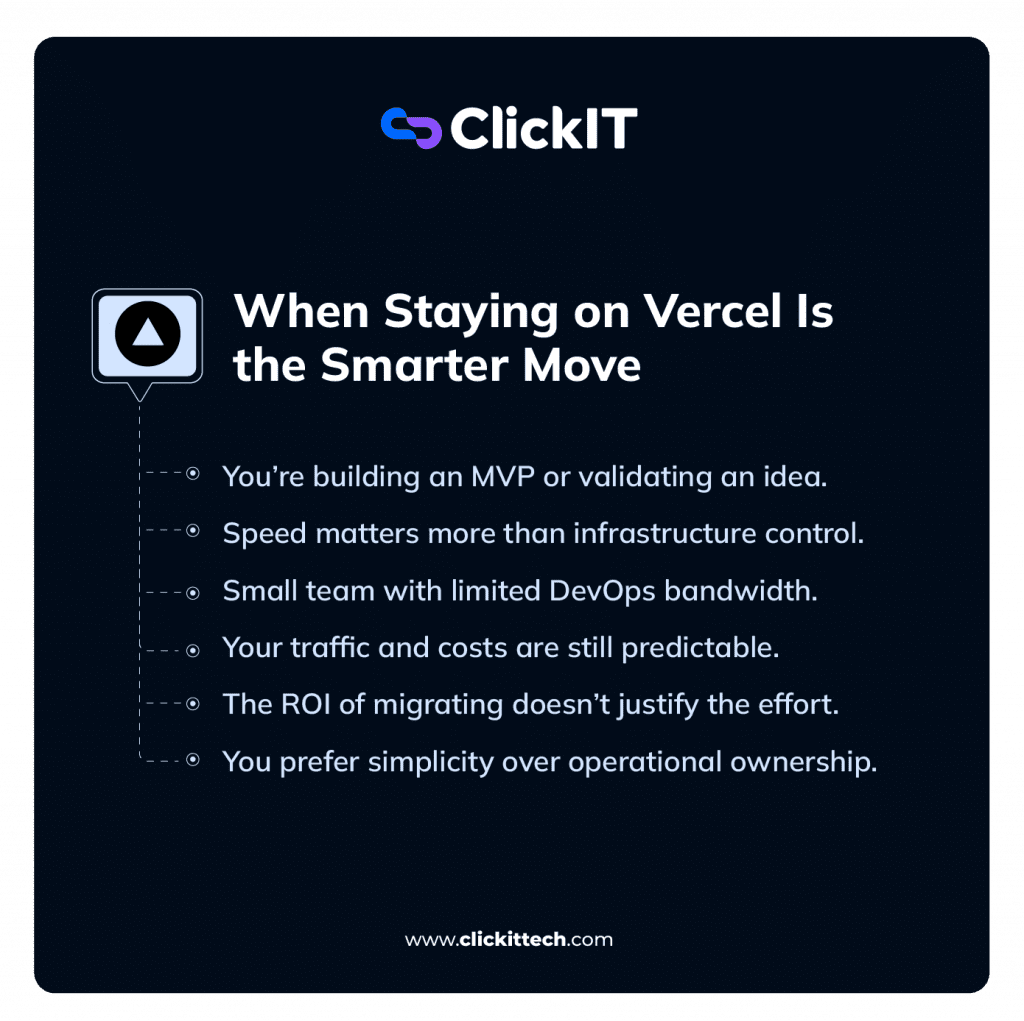
When Staying on Vercel is the Smarter Move
After breaking down the costs, the control, and the scaling power of AWS, it’s easy to walk away thinking that leaving Vercel is a mandatory step for every growing company.
But that’s simply not true.
Vercel isn’t a “beginner” platform you eventually have to graduate from. It’s a high-performance tool optimized for a very specific set of priorities: speed, simplicity, and developer experience. In many scenarios, staying on Vercel isn’t just the “easy” choice; it’s the right one.
The Power of the MVP Stage
If you are currently building a new product, a startup MVP, or just validating a fresh idea, Vercel is exactly where you belong.
At this stage, velocity is your only real currency. You shouldn’t be spending forty hours configuring VPCs and IAM roles when you should be talking to users and shipping features.
The “Vercel Tax” is a small price to pay for the ability to iterate three times faster than a team bogged down in infrastructure management.
Small Teams without DevOps Bandwidth
If your team consists of one to three developers focused primarily on the frontend or product logic, AWS can be a massive anchor.
On Vercel, you get “best-practice” infrastructure by default. You don’t have to hire a specialist to handle your CDN invalidations or serverless scaling. By staying on Vercel, you’re effectively outsourcing your entire DevOps department for the cost of a Pro subscription. That is a massive competitive advantage when your resources are tight.
When the “Math” Doesn’t Justify the Move
Optimization is only valuable when there is actually something meaningful to optimize. If your application has:
- Low or predictable traffic
- Minimal heavy media (images/video)
- Manageable bandwidth usage
Then the cost savings on AWS will be negligible. If you’re only going to save $100 a month by moving to AWS, but the migration takes two weeks of a senior engineer’s time, you’ve made a mathematically poor decision. Don’t fix what isn’t broken.
Choosing Responsibility over Control
Not every team wants to own their infrastructure, and that is a perfectly valid architectural stance.
- On Vercel, you delegate the “boring stuff” to the platform. You trust their defaults and focus on your code.
- On AWS, you own the “boring stuff.” You are responsible for the uptime, the security patches, and the scaling failures.
If your team prefers a lower operational burden over granular control, Vercel is the better home for your code.
Final Thoughts: Mapping Your Path Forward
So, by now, you’ve seen both sides of the story. You’ve learned how Vercel provides an unparalleled developer experience that allows you to continue focusing on your product. And, on the other hand, you’ve learned how AWS provides you with the keys to the kingdom and allows you to have the control, flexibility, and cost efficiency necessary for true scalability in the future.
So, what’s the real takeaway from this entire post? It’s quite simple, really:
This isn’t about “replacing” Vercel. It’s about evolving beyond it when the time is right.
A Quick Reality Check
Before you make any decisions on migrating away from Vercel, I want to give you a quick reality check. Ask yourself:
- Are we seeing production traffic levels that make the “Vercel Tax” really impact our overall margins?
- Are we seeing costs become unpredictable and hard to justify on a month-to-month basis?
- Do we find ourselves “fighting the platform” to get the performance or security we need?
- Does our team have or want to build a real DevOps culture?
If you answered “yes” to most of these, then a migration is worth a serious look. If not, staying on Vercel is likely the most productive move for you right now.
Where the Value Actually Lies
Migration isn’t just a technical task; it’s a business investment. You’ll see the highest return on that investment when:
- Bandwidth usage is high: (Moving to CloudFront can be a massive win).
- Serverless execution costs are growing: (Tuning Lambda memory and timeouts saves thousands).
- You need custom caching: (Fine-tuning your edge behavior to protect your origin).
In these scenarios, AWS doesn’t just host your app it lets you optimize every single layer to reduce waste and build a more resilient architecture.
A Practical Migration Roadmap
If you’re ready to move, don’t try to do everything in a single weekend. Start small and iterate:
- Evaluate Your Current Usage: Dig into your Vercel bills. Where is the money actually going? Is it bandwidth? Compute? Image optimization?
- Pick Your Strategy: If you want a familiar feel, check out Amplify. If you want the best balance of cost and control, go with SST + OpenNext.
- Run a Proof of Concept (PoC): Rather than migrating your entire application, start by migrating a small service or a staging environment.
- Optimize Before You Scale: Rather than “lift and shift,” make sure your caching is configured correctly and your Lambda settings are optimized before pointing production traffic at it.
- Move Incrementally: Use a DNS-based gradual rollout to move traffic. Avoid the “big bang” migration at all costs.
This migration is about a fundamental mindset shift. You are moving from a world where you let the platform handle everything to a world where you understand and optimize your own system.
That shift takes time and effort, but it’s what enables better performance, lower costs, and a much stronger system design.
At the end of the day, this entire debate comes down to a simple shift in priorities.
Vercel is built for speed. It’s designed to remove friction, kill the “DevOps headache,” and let you focus entirely on the product. For early-stage teams, that is exactly what you need to survive.
AWS is built for the long game. It gives you the raw materials to optimize every single layer of your stack, from compute and caching to granular security. That level of control is what eventually unlocks the efficiency and massive cost savings that a managed platform simply can’t offer.
The real skill isn’t knowing how to migrate, but knowing when to migrate from Vercel to AWS.
If you move too early, you risk drowning in complexity and slowing your feature delivery to a crawl. If you move too late, you’ll find yourself paying a massive premium for a “convenience” that your team has already outgrown.
Migration should not be a race to follow the latest trend or to mindlessly cut costs. It’s a process of matching your infrastructure to your true level of growth. My advice: start fast with Vercel, but scale smart when you migrate from Vercel to AWS.
FAQs
It depends on your scale. If you’re running a small project or a low-traffic MVP, the effort to migrate from Vercel to AWS usually outweighs the savings. You might save $20 a month but spend 40 hours of engineering time to get there; that’s a bad trade. However, once you hit meaningful production traffic, the math changes.
The “Vercel Tax” is the premium you pay for the platform’s convenience. Vercel does an incredible job of abstracting away the “boring” parts of infrastructure, SSL, CDN routing, and CI/CD, but they charge a markup for it.
You aren’t just paying for the AWS resources they use under the hood; you’re paying for the fact that you don’t have to hire a DevOps engineer to manage them.
No, you won’t. There’s a common misconception that features like ISR, SSR, or Image Optimization only work on Vercel.
While Vercel is the “home” of Next.js, tools like SST and OpenNext have done an amazing job of bridging the gap when you migrate from Vercel to AWS. They map those native Next.js features directly to AWS services like Lambda, S3, and CloudFront. You get the same functionality, just with more control over how it’s executed and cached.