The decision to buy vs build AI will determine how your company will compete, operate, and scale over the next five to ten years. In 2026, that decision carries more executive weight than it did just eighteen months ago.
Recent BCG research shows senior executives plan to double their AI investment this year. However, the same study also shows that investment is spread across an average of six use cases.
That shows two things. Firstly, AI is no longer an experimental budget. Secondly, many leadership teams are still placing distributed bets because they can’t decide which AI capabilities to own and which to rent.
Unfortunately, this uncertainty can lead teams to overbuild internal platforms they struggle to maintain or to overbuy AI products that solve the initial problem but cap long-term differentiation, because competitors can deploy the same capability.
For CEOs, CTOs, COOs, and VPs of Engineering, the pressure is coming from every direction. You need to decide between speed and differentiation. There is financial ambiguity driven by shifting model costs, usage-based pricing, and the uncomfortable exercise of justifying long-term ROI to a CFO who wants immediate numbers.
Layer in the massive AI skill gap, time-to-value pressure, and the reality that most AI projects never leave the pilot phase. Then, there are also evolving compliance laws, stricter data privacy and governance requirements, and vendor lock-in risk.
It’s a massive decision.
Thankfully, everyone now agrees AI matters. The problem, and the part that actually matters, is that no one is fully confident they’re making the right move. That’s why I wrote this: to help you make a grounded, defensible decision on whether to build vs buy AI in 2026.
Blog Overview
- Strategic Ownership vs Execution Speed: Build when the AI is the product or core IP, even if it takes longer. Buy when it’s a utility, or you need fast implementation in weeks or a few months.
- Data Sensitivity and Compliance: Build AI if your data or workflows are highly regulated, sensitive, or encode proprietary expertise that you can’t risk leaking to a vendor. Buy AI if third-party security and governance controls are sufficient.
- Team and Operating Model: Build AI if you have, or can hire and retain, a team of experienced AI/ML, MLOps, GPU orchestration, and security talent, and also have the bandwidth for ongoing maintenance.
- Buy if you’re still trying to figure out how to hire your first Senior ML Engineer without blowing your entire equity pool.
- Cost and Total Ownership: Building demands significant upfront capital and long-term commitment, but creates a compounding asset.
- Buying reduces initial cost but introduces recurring spend and vendor dependency.
- Hybrid Approach: Most successful organizations I’ve worked with adopt a mix of buying and building AI. They buy foundational models and infrastructure while building differentiating layers like proprietary logic, orchestration, or compliance workflows on top.
When to Build vs When to Buy AI
In this section, I’ll lay out when building AI actually makes sense operationally, financially, and organizationally. These are the scenarios where owning the system pays off.
When to Build AI?
Building AI internally can be the right choice under the following circumstances:
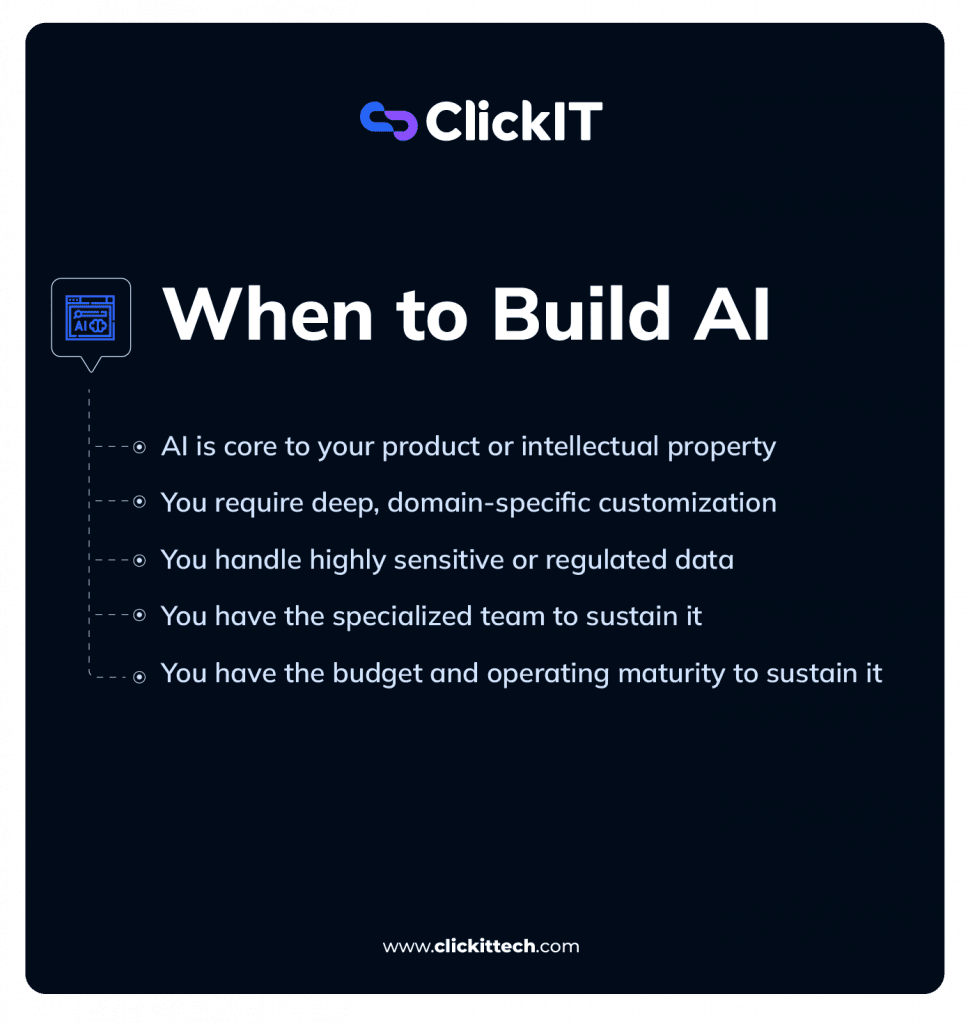
- AI is core to your product or intellectual property
Building makes sense when the AI system or model itself is the product, not a feature add-on. If the model’s behavior, decision logic, or reasoning quality is what differentiates you in the market, outsourcing that capability puts your advantage in someone else’s hands. Also, if no vendor provides a solution, you must build.
Additionally, if your AI capability directly influences customer value, pricing power, or IP strategy, owning that system matters. Renting here usually means giving up long-term leverage because if a competitor can buy the same capability next quarter, it is not a moat.
- You require deep, domain-specific customization
Commercial vendor platforms are usually optimized for general use cases. That is both their strength and their limitation. This means if your workflows are highly specialized, buying AI is not the best choice.
For example, if your product depends on domain logic, such as financial risk modeling, clinical decision paths, supply chain optimization, or if you operate within complex compliance interpretation, building AI gives you control you cannot negotiate into a contract.
Building AI internally gives you control over algorithms, reasoning flows, and product experience.
This also applies when compliance or security frameworks require custom execution environments, isolated workloads, or bespoke security layers that most vendors cannot support cleanly. So, you have to build.
- You handle highly sensitive or regulated data
Another case when you should build AI rather than buy is if you handle deeply sensitive or regulated data.
Some data simply cannot leave a controlled environment, and if yours is like that, you should build. Personally, this is mostly common in national security, defense, regulated financial workloads, and certain healthcare use cases.
This can also apply when the model’s reasoning patterns, decision trees, or training signals encode proprietary expertise you want to protect and evolve internally.
- You have the specialized team to sustain it
This is the part I usually see leadership teams most often underestimate. Building AI from scratch only works when you can support it with the right team expertise over time.
That means you have all the necessary AI roles for your project.
In practice, you have:
- AI and ML engineering depth to develop retrieval pipelines, fine-tuning strategies, and reasoning layers.
- MLOps and infrastructure maturity to manage GPUs, vector stores, monitoring, rollback mechanisms, and CI/CD for agents.
- Security, compliance, and governance capability to implement audit trails, role-based access, SOC 2 level controls, and safe execution environments.
- Ongoing maintenance capacity for retraining, regression testing, error analysis, and continuous improvement.
If you cannot dedicate a team to maintain the system after launch, not just build it, buying from a trusted vendor is usually the safer and more scalable option.
- You have the budget and operating maturity to sustain it
This point is related to having a specialized team, but it deserves its own callout.
If you’re going to build your own AI solution, consider costs like the initial model development, engineering headcount, data infrastructure, experimentation environments, compute for training and inference, evaluation tooling, and the security and governance layers required for production systems.
More importantly, building internally demands an operating model that allows iteration. Your first version will likely underperform. Some will fail outright. Organizations that succeed treat AI as a learning system rather than a deterministic software project.
That mindset requires investment across people, processes, data, and in-house infrastructure, along with leadership air cover for experimentation that does not pay off immediately. As Tom Ramjeet, Senior Manager for Data and Analytics at KPMG UK, puts it: “If you choose to build, you need to be in the mindset of being prepared to test and learn because you won’t get it right first time.”
When to Buy AI?
Buying AI is the right call when the capability is necessary for execution but not a durable source of differentiation, and when a vendor’s scale and iteration speed will outpace what you can realistically sustain in-house.
Here are the signs you need to buy AI solutions rather than build them:
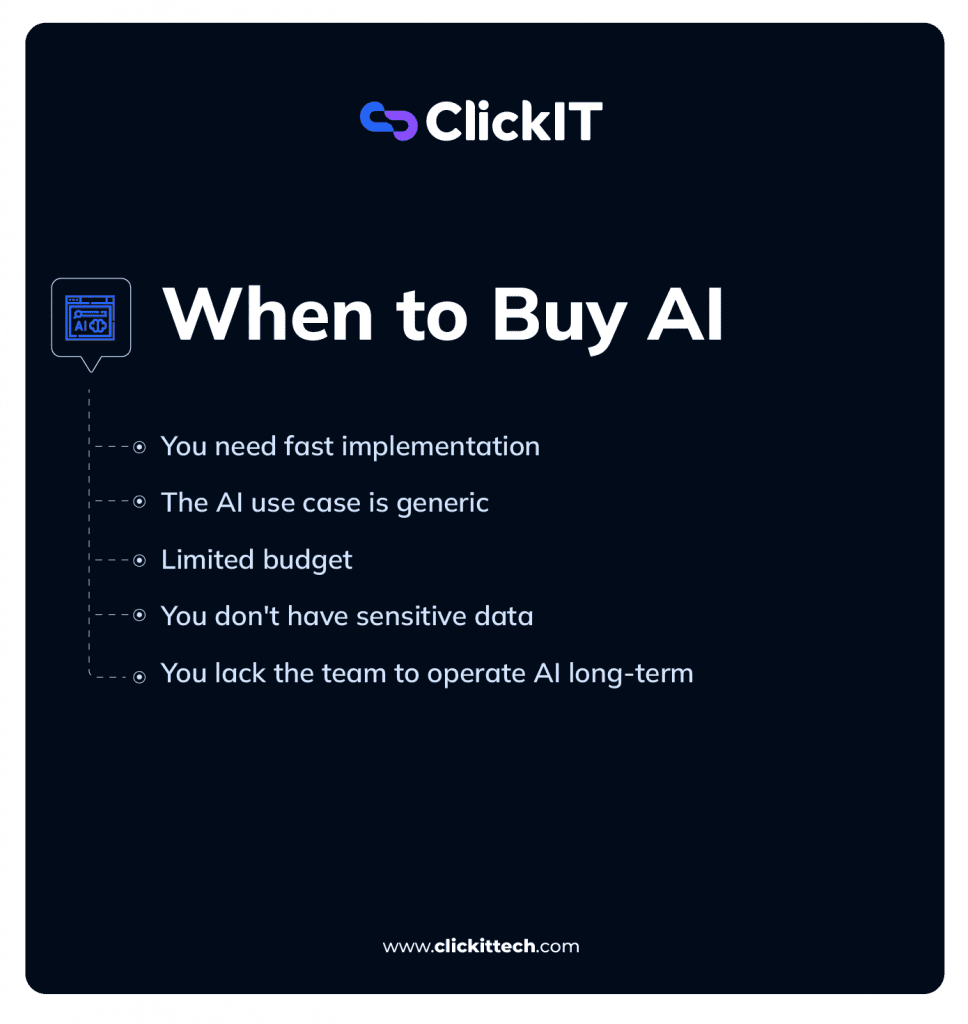
- You need fast implementation
Buying AI software offers rapid, often immediate, time-to-market compared to months or even years of in-house development. For example, commercial AI platforms can be deployed in weeks, sometimes days. Building the same type of functionality from scratch usually takes months before you reach production-grade reliability.
So, if implementation speed matters more than owning a custom IP, buying wins.
- The AI use case is generic
For well-understood functionalities like chatbots, document parsing, summarization, search, transcription, or content generation, mature products already exist. These vendors have optimized for edge cases, reliability, and user experience across thousands of customers over the years. This is why I think rebuilding these capabilities rarely creates advantage and may even distract your team from higher-leverage work.
- Limited budget
Building AI systems is expensive long before they deliver value or ROI.
Your costs will stack quickly across:
- AI and ML engineering hires
- Data engineering and pipeline development
- Infrastructure for training and inference, including GPUs
- MLOps tooling, monitoring, and incident response
- Security, compliance, and audit controls
- Ongoing maintenance, retraining, and evaluation
Buying AI can shift some of these costs from fixed to variable, depending on contract structure. You avoid a large upfront R&D investment and pay for usage as your business proves out the value. When you model the total cost of ownership honestly, including operational overhead, in-house builds are hard to justify for non-differentiating use cases.
- You don’t have sensitive data
If your workloads do not involve highly sensitive or regulated data, the risk profile of third-party AI platforms drops significantly. For many SaaS businesses, vendor security controls, certifications, and contractual guarantees are sufficient.
- You lack the team to operate AI long-term
If you do not have sustained capacity for model updates, performance monitoring, regression testing, and security hardening, then buy AI.
Even a successful internal build becomes a liability if it cannot be maintained. In my experience, this is one of the biggest reasons why AI projects fail.
Vendors handle model updates and infrastructure scaling, while your team stays focused on product delivery.
What are the Differences Between Buy vs Build in AI Costs Over Time?
| Cost Category | Build AI (In-House) | Buy AI (Enterprise Platform) |
| Initial Setup (Year 1) | $500K – $3.4M+ | $200K – $2.5M |
| Annual Talent Costs | $500K – $2.5M+ | $150K – $300K (admins, integrations) |
| Annual Infrastructure | $150K – $1M+ | Usually included in the setup cost or usage-based |
| Ongoing Ops & Maintenance | $150K – $800K+ | $20K – $150K |
| Time to First Value | 6–24 months | 2–6 months |
| 3-Year TCO | ~$2.2M – $8.3M+ | ~$600K – $3.5M |
| 5-Year TCO | ~$3.8M – $12M+ | ~$1M – $6M |
Building AI solutions requires a higher upfront investment but creates an asset you can evolve on your terms.
Buying reduces immediate significant cost and execution risk, but commits you to ongoing fees, external roadmaps, and pricing changes you do not control.
Caveat: costs vary based on different factors like the project scope, team, etc, but this should give you an estimate. You can also use this free AI cost estimation calculator to get a more accurate figure.
Build AI Costs:
- High upfront investment: Building AI in-house requires significant early capital. Expect to pay for specialized talent, data engineering, model development, and infrastructure before the system delivers meaningful value. In 2026, enterprise-grade AI builds commonly range from $500,000 to well over $3 million in initial investment, depending on scope, reliability requirements, and regulatory constraints.
- Slower time to ROI: In my experience, internal builds rarely generate measurable business impact in the first year. Development cycles of 12 to 24 months are common before systems stabilize, integrate cleanly, and earn user trust. The return shows up later, and only if the system becomes deeply embedded in core workflows.
- Long-term asset ownership: The upside is ownership. You control the IP, source code, data, and system evolution. When AI is central to your product strategy, this can become a compounding asset. This means improvements accrue to your platform rather than resetting at each contract or subscription renewal.
- Maximum strategic control: Building AI internally allows near-total customization. You can align models with proprietary workflows, embed domain-specific logic, and meet strict data residency or regulatory requirements without negotiating around a vendor’s roadmap. And of course, that level of control is expensive.
Buying AI: Cost Profile Over Time
- Lower initial spend: Buying AI solutions usually requires far less upfront capital than building. First-year costs for enterprise AI solutions may fall between $50,000 and $1 million, depending on usage, feature scope, and contract structure. You also avoid heavy R&D investment and move faster with smaller teams.
- Recurring and usage-based costs: The trade-off is ongoing expense. Subscription, licensing, and usage-based pricing can grow quickly as adoption scales. Annual costs in the $100,000 to $1 million range are common, and increases often track usage rather than business value.
- Faster Time-to-Value: Commercial platforms compress the path to production. Deployments can happen in weeks instead of months by skipping custom data engineering, model training, and infrastructure setup. This matters when speed is tied to revenue or operational efficiency.
- Potential vendor lock-in: When you decide to buy AI, you are tied to the vendor’s pricing model, product roadmap, and renewal terms. Lock-in becomes real when the effort to migrate off the platform is so high that switching is no longer economically rational, especially if data schemas, workflows, embeddings, or fine-tuned models are not portable.
3–5 Year Total Cost of Ownership (TCO) Comparison
Below is a realistic cost profile I’ve seen hold up across multiple enterprises over the last six months. These are not absolutes. Actual numbers vary based on build scope, system complexity, team composition, usage growth, and regulatory requirements. The point of this table is to give you a direction.
One thing that usually jumps out immediately is talent cost. For many teams, salaries alone can exceed what a vendor charges annually.
One common way teams reduce the total cost of building AI is by adjusting where they hire. For example, hiring nearshore engineering teams, particularly in Latin America, can materially change the economics without sacrificing execution quality.
You still get real-time collaboration based on time zone alignment, while labor costs are about 50% lower than fully loaded U.S. teams. Also, travel is feasible when in-person alignment is absolutely necessary and legal or operational frameworks are similar enough that you can avoid friction.
When done well, this can significantly reduce the costs of building AI. Click here to know how much you can save from hiring a nearshore team.
I should mention that nearshore hiring works best when you already have strong remote work discipline, clear documentation practices, and at least one senior architect on your side who can translate context.
If your AI capability has not started creating durable differentiation by year three, the build path rarely justifies itself. If it does, the buy path often becomes the more expensive decision over time, just hidden behind recurring fees and vendor dependency.
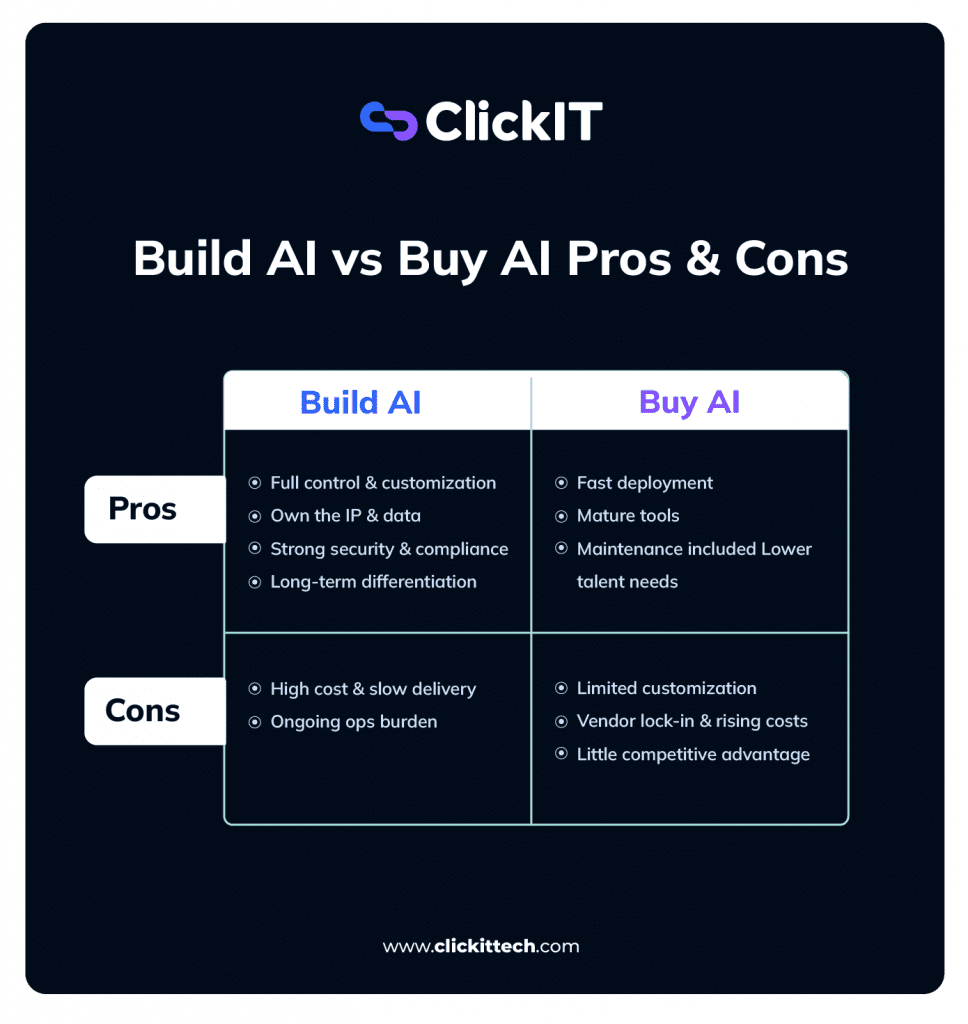
Pros and Cons of Building AI
Pros of Building AI
- Full architectural control and customization: Building your own AI solution gives you control over every meaningful decision, like data flows, model behavior, system boundaries, release cadence, and every feature set. You are not constrained by vendor abstractions or product roadmaps. Priorities, timelines, methodologies, and trade-offs are yours to make, which matters when AI sits close to core business logic.
- IP ownership and defensibility: If you build AI, you own the resulting intellectual property. Models, algorithms, training data, and reasoning patterns remain internal. When AI is a source of differentiation, this ownership becomes a barrier to imitation that competitors cannot simply license. When advising CTOs of businesses built on proprietary insight, I let them know this alone can justify the investment.
- Designed around proprietary data: While you leverage pre-trained weights, the reasoning logic and fine-tuning are shaped exclusively by your data, ensuring behavior aligned with your specific domain without ‘generalist’ noise.
- Stronger security and compliance control: Agreed, building shifts responsibility onto your team, but it also gives you direct control. Data never needs to leave your environment, which can simplify compliance with frameworks like GDPR, HIPAA, SOC 2, PCI DSS, and ISO 27001. For regulated workloads, this control may also reduce risk more effectively than negotiating contractual guarantees with vendors.
- Long-term capability development: If you’re interested in human workforce development, building AI is a good way to do that. With time, your engineers develop institutional knowledge, shared context, and domain expertise that compound across projects. This reduces long-term dependency on vendors and creates a foundation for continuous, organization-specific innovation.
- Deeper integration and domain alignment: Internal teams integrate naturally with existing engineering, product, and operations functions. Over time, they build a shared understanding of business constraints, customer needs, and edge cases that rarely transfer cleanly to external vendors. As such, you end up building AI systems that deeply feel native.
Cons of Building AI
If you choose to build AI, here are the disadvantages you should be wary of:
- High cost and long timelines: Building AI is expensive and slow to mature. Enterprise-grade systems may take months or even years to reach production reliability, with opportunity costs that are easy to underestimate. Recruiting, onboarding, and ramping specialized talent alone can consume a full planning cycle.
- Scarce and competitive talent: AI and ML engineers are expensive, scarce, and hard to retain due to high market demand.
- Longer time to market: Compared to buying, building delays the initial impact. Hiring, infrastructure setup, and data readiness all extend the path to first value.
- Ongoing operational burden: The work doesn’t end once the AI solution is built. You must maintain infrastructure, manage model drift, monitor performance, retrain models, and keep security controls current. Vendors absorb this work by default.
- Key person risk: Losing one or two key contributors or highly specialized individuals when building AI can stall progress or create knowledge gaps that take months to recover from. If that expertise walks out the door, the system’s long-term viability is at risk unless you plan knowledge transfer and redundancy early.
Pros and Cons of Buying AI
Pros of Buying AI
- Rapid deployment: This is the headline benefit of buying AI. Off-the-shelf AI can be live in days or weeks. Building almost never is, not in that timeline. If you need something to work quickly, you should buy AI.
- Access to mature, battle-tested products: When you buy AI, you’re buying software that’s already been stress-tested across multiple customers, industries, and edge cases. A lot of painful mistakes have already been made, fixed, and absorbed by the vendor, so you don’t have to relive them.
- Support, upgrades, and scalability are bundled: maintenance, security patches, model upgrades, and infrastructure scaling are usually included in your subscription. So, they’re not your problem if you buy AI. For many leaders, that alone is worth the price of admission.
- Reduced talent costs and requirements: Buying reduces the AI talent requirements and the costs to hire, retain, or explain their comp packages to finance. You still need integration engineers and product managers who understand AI workflows, but you’re not competing for the same Senior ML Engineers requesting $500k+ packages.
Cons of Buying AI
While these advantages are mouth-watering, buying AI comes with some of the biggest disadvantages I’ve seen. Here are some:
- Limited customization: Pre-built AI solutions are designed to work well for many companies, not perfectly for yours. In my experience, once you move beyond standard workflows or introduce real operational complexity, performance gaps start to appear. Vendors will usually jump on a call and maybe tweak a configuration or two.
But they are not going to re-architect their models, data pipelines, or decision logic for a single customer, especially when most of their customers are getting acceptable results out of the box. Their incentives are to optimize for the median user, not your outliers.
And what I see many companies do is introduce additional tools, plugins, or secondary vendors to close the gaps. Over time, this creates a fragmented AI stack with limited end-to-end visibility, weaker accountability, and growing operational risk.
- Ongoing vendor costs: When you buy AI, the upfront costs look reasonable, especially when compared to building. But you’ll be paying a vendor subscription, usage-based pricing, and other related costs to keep the functionality running. Over time, as usage grows and API calls spike, you may begin to need premium (or more expensive) features, and your integrations get more complex.
- Vendor Lock-in: If you buy AI, you’re dependent on someone else’s roadmap, pricing model, and policy decisions. Remember, they can change terms or deprecate a feature you rely on. Also, their downtimes become your downtimes.
- Limited strategic differentiation: When you buy AI, nothing differentiates you from others. Your competitors can buy the same tool. And many of them will. That makes it hard to claim AI as a durable advantage rather than a baseline capability.
- Data exposure and governance risk: Third-party platforms may process or store your data off-site. Depending on your industry, that can raise real compliance and data privacy concerns. Most vendors I’ve seen don’t lead with this info, so make sure you read the fine print or ask.
- Less control over model behavior: In some cases, you don’t fully control how the model is trained, updated, or tuned. When something breaks, behaves unexpectedly, or produces outputs you don’t like, you will be filing tickets to the vendor’s support team rather than fixing root causes.
Hybrid Strategies in the Buy vs Build AI Decision
Lately, most successful organizations I work with no longer treat build vs buy as a binary choice. Instead, they take a hybrid approach. That is, buying foundational capabilities and building the layers that matter most to their business. This lets them move fast today without giving up long-term control.
The Architecture of a Hybrid Decision
| The Buy Layer | The Build Layer |
| Foundational Models: Use Frontier models (GPT-5, Claude Opus 4 series, or Llama 4 hosting). Don’t train from scratch unless you’re a biotech or weather firm. | Contextual Logic: RAG pipelines and proprietary retrieval logic that understands your specific data nuances. |
| Orchestration Infrastructure: Managed Vector DBs (Pinecone/Weaviate) and LLM monitoring tools. | Business Workflows: Custom agentic loops that execute multi-step tasks unique to your internal SOPs. |
| Connectivity Standards: Standardized retrieval protocols (like Model Context Protocol) that let external models securely query your internal data without custom connectors for every integration. | Guardrails & Governance: Custom “Human-in-the-loop” interfaces and industry-specific safety filters for high-stakes reasoning. |
If you’re in fintech, you’ll likely buy the LLM and agent framework but build the compliance approval workflows and audit pipelines yourself. If you’re in logistics, you might buy demand forecasting components but build the routing and constraint logic that incorporates your fleet, contracts, and SLAs.
A Real Hybrid Architecture Example
One team I worked with bought the OpenAI API for raw reasoning and used LangGraph for orchestration, but they built three proprietary control layers that turned it into a business asset:
- A Prompt Registry with Approval Gates: Every system prompt is version-controlled in a Git-backed registry and unit-tested for bias and output consistency. High-risk prompts (e.g., anything generating contracts, customer communications, or financial advice) can’t move from staging to production without compliance sign-off, tied to a specific version hash. This treats AI instructions with the same rigor as CI/CD for code.
- Standardized Context via MCP: Instead of building custom data connectors, they used the Model Context Protocol (MCP) to create a unified retrieval layer. This allowed their agents to securely query internal knowledge bases with document-level access controls. They used Pinecone for vector search, but the ranking logic, which factored in recency, source authority, and proprietary business tags, was built in-house.
- Optimization Flywheel: They built a custom feedback loop that captures every human edit to an AI output. These corrections are logged, reviewed quarterly, and turned into training data to fine-tune a smaller, local model (like Llama 3.3 or Mistral 7B) for specific tasks like FAQ generation and summarization, eventually reducing their reliance on expensive foundation model API calls. This cut their frontier API spend by about 30% over six months, while keeping the heavy-hitting models reserved for complex reasoning like multi-step contract generation, where hallucination risk is unacceptable.
They avoided deep vendor lock-in by ensuring the orchestration, context retrieval, and feedback logic lived in code they controlled.
When a better model emerges or pricing shifts, they can swap the underlying LLM, because the business intelligence was in the built layers, not the bought API. Of course, they may have to rewrite prompts and re-tune thresholds, but the MCP integrations and LangGraph orchestration stay intact.
Vendor Evaluation (For Buy Path)
If I decide to buy AI rather than build, I treat vendor selection as a technical and strategic decision, not a procurement exercise.
Here’s the checklist that has worked for me in evaluating AI vendors.
Use-case alignment
The best AI solution is the one that solves a clearly defined business problem, not the one with the most (cool) features. Before I evaluate any vendor, I make sure we can answer internally:
- What exact business problem are we solving? (e.g., reduce customer churn, shorten sales cycles, automate invoice processing, improve first-call resolution, increase fraud detection accuracy, reduce manual review time)
- Where are the current workflow bottlenecks?
- What measurable outcome defines success in 6–12 months? (e.g., we would’ve reduced customer churn by 50%)
- What data will this system depend on, and is that data actually usable?
If we can’t clearly articulate the problem and the KPIs, no vendor will magically fix that.
Transparent pricing
Because of how quickly AI is evolving, cost structures can become opaque fast. What looked affordable in a demo can look very different at scale.
You need to choose an AI vendor with a clear cost model and know exactly what you’re getting for your money.
Here’s a checklist of costs to look out for when buying AI:
- Implementation and integration costs (e.g., Initial setup, data migration, custom connectors, configuration, professional services)
- Usage-based fees (e.g., Token consumption, compute time, API calls, storage, payload size, model tiers). What drives variable cost in your architecture?
- Cost to scale (What happens if usage grows 3–5x? What if we add more users? More workflows? More data?)
- Ongoing support tiers (What’s included in standard support vs premium? Are SLAs contractual? Is there a dedicated technical contact?)
- Are there overage penalties or hard caps?
Besides transparency on pricing, having full visibility into dashboards and usage reporting tools is vital in tracking and analyzing your overall performance.
Compliance and security features
Evaluating compliance and security is one of the most important steps when buying AI. Regulations evolve quickly, and data is the lifeblood of AI. That means it’s also the risk surface.
While you’re buying an AI tool, you’re potentially exposing sensitive customer, financial, or operational data to a third party.
Before selecting a vendor, here’s a checklist for verification:
- Compliance with relevant regulations: GDPR, HIPAA, SOC 2, PCI DSS, ISO 27001, or any industry- or region-specific requirements that apply to your business.
- Encryption at rest and in transit: Data should be encrypted when stored (e.g., encrypted databases, object storage) and when transmitted (TLS/HTTPS). This protects against interception and unauthorized access.
- Clear data residency policies: Where is the data physically stored? In which countries or regions? This matters for regional legal requirements and cross-border data transfer restrictions. Also, can data be fully deleted upon request?
- Role-based access controls and audit logging: Can you control who sees what? Are all actions logged? If something goes wrong, can you trace it? How are security vulnerabilities disclosed and patched? What does your incident response process look like?
- Explicit data ownership terms: Who owns the data? Can the vendor use it to train models? Under what conditions? This must be contractually clear.
Customization Capabilities
I don’t expect vendor-level customization to match building in-house, but I do expect extensibility.
The core question is: how well can this system integrate into our existing architecture without forcing awkward workarounds? This compatibility will help avoid service disruptions.
Here’s a checklist to assess AI customization, integration and extensibility:
- API availability and documentation quality: Well-documented REST or GraphQL APIs, clear versioning, and developer documentation that is actually usable. Ask: What are the architectural limits? Can your API handle our projected request volume?
- Webhooks, SDKs, and integration tooling: Event-driven triggers, client libraries in major languages, and integration accelerators that reduce custom engineering effort. Ask: How do you support orchestration across multiple systems?
- Compatibility with core systems: Native or well-supported integration with CRM, ERP, data warehouses, identity providers, and internal platforms. Ask: Do you have pre-built connectors for([our specific stack), or will we need to build custom middleware?
- Support for custom workflows and rule layers: The ability to configure decision trees, approval gates, business rules, or post-processing logic without rewriting the vendor’s core system. Ask: How much of your logic is configurable versus hard-coded? Can we insert custom decision logic or human approval layers? (This becomes especially important in hybrid strategies, where we buy the foundation but build our differentiators on top.)
Roadmap and support quality
Because the landscape changes so quickly, I look for a partner whose product direction aligns with where we are today and where we’re going.
Here’s how to do that:
- Product roadmap transparency: Do they share a forward-looking roadmap? Is it specific (features, integrations, model upgrades), or vague marketing language? Are enterprise customers able to influence priorities or is the roadmap locked?
- Release cadence: How often do they ship meaningful updates? Monthly? Quarterly? Ask: Are these updates incremental improvements or disruptive changes that require rework on our side? How are breaking changes communicated, and how much advance notice do we get?
- Backward compatibility guarantees: When models or APIs are updated, do existing integrations continue to function? Ask: Is there version control with a clear deprecation timeline, or do updates risk breaking production workflows without warning?
- Dedicated technical support and SLAs: Are response times contractually defined? Is support tiered? Ask: What support response times are contractually guaranteed? Do we get access to solution architects, or is it ticket-based helpdesk support?
- Training and change management resources: Do they provide structured onboarding, technical documentation, admin training, and enablement for end users? Ask: When you release a major feature update, what does the rollout support look like—self-service docs only, or hands-on training?
If it feels like their roadmap creates more disruption, it’s not a fit.
Model Explainability and Human Oversight
AI cannot be a black box that no one understands in high-stakes workflows. Specifically, if decisions affect revenue, compliance, credit approval, medical outcomes, or customer trust, we need to have visibility and control.
Here’s what I verify:
- Output traceability: Can the system explain why it produced a specific result? For example, feature attribution, reasoning traces, or structured justification outputs.
- Confidence scoring or attribution mechanisms: Does the model provide probability scores, ranking weights, or signal indicators that help assess reliability?
- Access to logs and audit trails: Are all inputs, outputs, and decision paths logged? Can they be reviewed later for compliance or incident analysis?
- Human-in-the-loop controls: Can humans review, override, approve, or correct outputs before action is taken? Is that workflow configurable?
Understanding how the AI model arrives at its conclusions is essential to gain trust, identify potential biases, and make defensible decisions in high-stakes workflows.
Industry Experience
Personally, industry experience is also equally relevant to me when evaluating AI vendors. Vendors with real experience in my industry understand edge cases, compliance nuances, and workflow realities. That usually shortens ramp-up time.
How to Decide Whether to Build vs Buy AI in 2026
Build when:
- The AI solution differentiates you in the market and directly drives competitive advantage or revenue
- The logic depends heavily on proprietary data or domain nuance
- You need tight control over model behavior, data, governance, and performance
- You are prepared to hire and retain AI talent, invest heavily upfront, and continue to fund ongoing maintenance
- The capability you’re developing must compound over multiple years
Buy AI when:
- You need fast implementation, particularly in weeks or a few months.
- Time-to-value matters more. That is, you need to get a return on investment quickly.
- The use case is operational and streamlines how you work.
- The AI functionality is standardized across industries
- You have limited internal AI talent, or they’re better deployed elsewhere
Ultimately, whether you choose to build vs buy AI, make sure you’re constantly reevaluating. AI capabilities evolve, and vendor platforms mature or change. Your internal team may even grow. So, what made sense 12 months ago may not make sense today.
I recommend revisiting your buy vs build position at least annually, or whenever one of these happens:
- Your AI spend grows materially
- A vendor becomes too deeply embedded in core workflows
- AI starts influencing high-stakes decisions
- A competitor launches AI capabilities that threaten your market position
- Your internal talent bench strengthens
- Your vendor changes pricing, deprecates key features, or shifts terms in ways that materially affect your economics or compliance posture
- Regulatory requirements change in ways that affect how AI systems must be built, audited, or governed
Most companies make the mistake of locking into an early decision and defending it out of inertia. Don’t do that.
FAQs About Build vs Buy AI
Strategic Differentiation Rule, buy if the AI solves a standard problem
Build only if the AI is your “moat.” If the solution relies on proprietary data that creates a unique competitive advantage or requires strict data residency/compliance that vendors cannot meet, building is the way to go.
Yes, it offers 98% satisfaction rates among businesses because it balances the speed of a vendor with the customization of in-house development. It allows you to use a “modular AI stack” that lets you swap out models as technology improves.
Buy: 2 to 8 weeks for integration.
Build: 6 to 18 months for a stable, production-ready system