Choosing between Google Gemini and ChatGPT in 2026 means knowing how each platform handles scale, reasoning, and control.
In 2026, the comparison between Gemini and ChatGPT is no longer just about which model is “better.” It’s about ecosystems, workflows, and how AI integrates into real-world products and decision-making.
Both platforms have evolved a lot. ChatGPT has improved its reasoning, agent workflows, and developer ecosystem. Gemini has expanded its multimodal capabilities. It also has deeper integration across Google products.
Sometimes that means reviewing a large codebase. Other times, it means testing agent workflows, analyzing long research documents, or stress-testing structured outputs for production systems.
Context switching between models is part of the job now. While Gemini and ChatGPT are both general-purpose frontier models, each is optimized for different workflows. This difference helps me decide which one to use.
Gemini is growing rapidly due to its integration into Google products, with usage expanding across Android, Search, and Chrome, making it part of users’ daily workflows.
ChatGPT still dominates in direct usage and developer adoption, generating significantly more traffic and remaining the primary platform for AI-driven applications.
Overview
- Gemini is designed to operate effectively across extremely large, multimodal inputs.
- Gemini and ChatGPT are no longer just chatbots; they are full AI ecosystems with different strengths
- Gemini excels at multimodal tasks and deep integration within Google products (Docs, Gmail, Search)
- ChatGPT leads in reasoning, coding, and building structured, production-ready outputs
- Gemini is ideal for organizations already using Google Workspace and large document workflows
- ChatGPT is better for teams building AI-driven applications, automations, and complex workflows
- In 2026, the most effective strategy is not choosing one, but using both, depending on the task
Table of comparison between Google Gemini vs ChatGPT
With the release of GPT-5.2 in December 2025 in mind, I’ll be summarizing the key differences between Google Gemini vs ChatGPT for tech leaders, followed by a detailed breakdown of each category.
| Decision Factor | Recommended Platform |
| Best for productivity | Gemini |
| Best for dev and engineering | ChatGPT |
| Best for multimodal reasoning | Gemini |
| Best for long-context workflows | Gemini |
| Best for automation | ChatGPT |
| Best for cost-sensitive organizations | Depends on workload profile |
| Best for data governance | Tie, depends on your existing cloud stack |
| Best for scaling AI apps | ChatGPT |
| Reduces human overhead faster | ChatGPT |
| Vendor lock-in risk vs speed | Gemini favors lock-in, ChatGPT favors flexibility |
What are the Gemini Features in 2026?
In 2026, Gemini has evolved into a full AI ecosystem rather than just a chatbot. With Gemini 3, Google introduced native multimodality (text, images, audio, and video) and deeper integration across tools such as Gmail, Google Docs, Chrome, and Android.
- Deep integration with the Google ecosystem (Gmail, Drive, Chrome, Android)
- Massive context window (up to -2M tokens for large documents)
- Advanced multimodal capabilities (text, images, video, simulations)
- New “Notebooks” feature for persistent context and workflows, AI embedded directly into search (AI Overviews, Google Search)
Recent updates include features like “Notebooks,” which allow users to create persistent knowledge bases and reuse context across tasks, moving Gemini closer to a long-term AI assistant rather than a one-time query tool.
Gemini’s features are built around its deep integration with Google’s ecosystem, allowing users to work across multiple Google services within a single AI-powered interface.
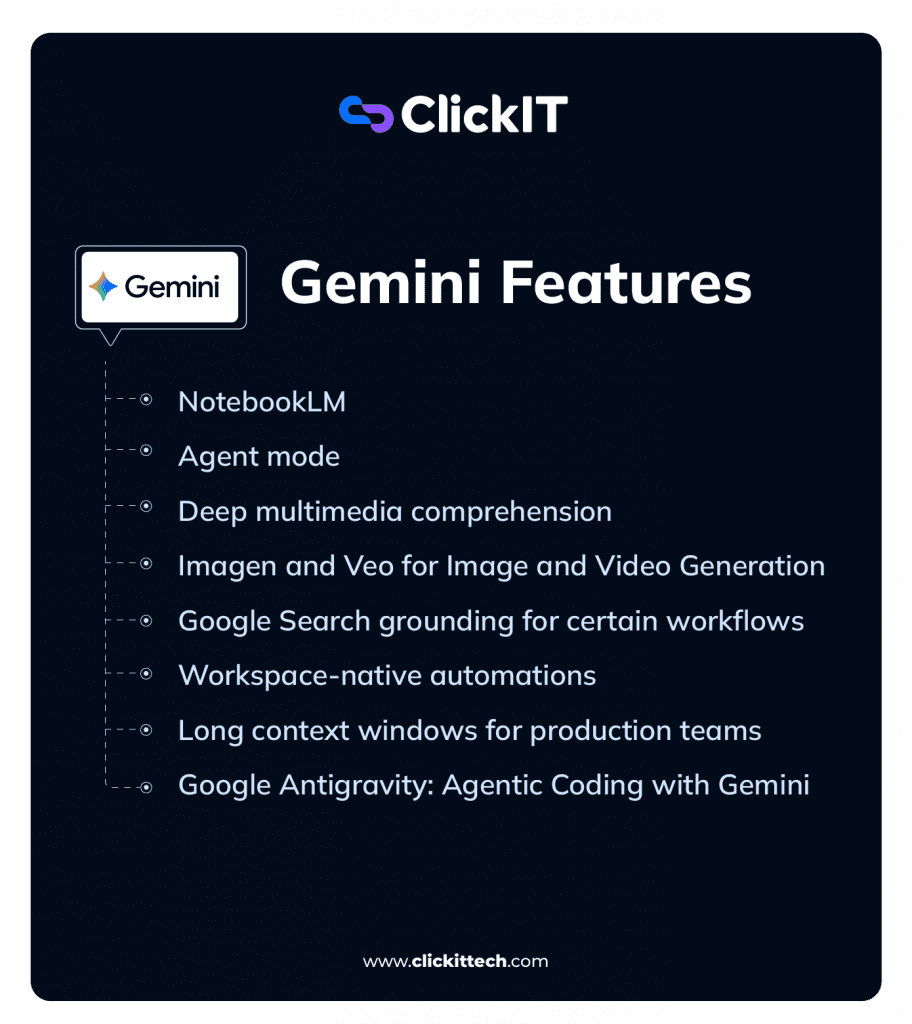
NotebookLM
The NotebookLM is an AI-powered research and writing assistant that creates personalized AI models from uploaded documents such as docs, PDFs, and web links.
It operates on a corpus of user-provided documents, such as technical papers, API documentation, and project briefs, to create a controlled information environment.
Rather than relying on traditional search-and-retrieve methods, it leverages a massive long-context window to process entire documents at once, offering stronger global reasoning than a traditional Retrieval-Augmented Generation (RAG) model. Responses are primarily grounded in the uploaded sources, which significantly improves factual accuracy for document-heavy tasks.
This is a critical feature for technical accuracy, as it reduces hallucinations and makes it easier to trace generated outputs back to the underlying source material.
For example, NotebookLM is great for podcasters who want to interview a guest who has recently published a book. By uploading the book, they can instantly generate a list of chapter-specific questions, identify the author’s core arguments, and even pull direct quotes to use in the interview, with every piece of information directly traceable to the source text.
Agent mode
Gemini’s agentic capabilities focus on native workflow automation within its ecosystem. The features are designed to orchestrate tasks across connected Google services.
For instance, I can issue a single directive for it to analyze raw data from a Google Sheet, reference a project outline in Google Docs, and then compose a summary email in Gmail.
This approach leverages the unified context of a user’s workspace to perform complex, multi-application processes.
Canvas
Canvas provides a dedicated side-panel workspace for iterative projects like coding or documentation. This structure separates the project artifact from the linear chat history, allowing for real-time edits and a persistent view of the work.
For a developer like me, this is a more organized environment for tasks like code refactoring, where maintaining a clean, isolated view of the current code version is essential for clarity.
Deep multimedia comprehension
Gemini is a natively multimodal model, and this enables it to reason across different data formats simultaneously from the ground up. For instance, I can provide it with a PNG of a performance dashboard along with the raw CSV data that generated the chart.
It can then synthesize insights using both the visual and tabular information in a single process. This ability to fuse data from different modalities is a core architectural feature.
Imagen and Veo for Image and Video Generation
Gemini includes native image and video generation via Imagen and Veo, fully integrated into its multimodal reasoning stack.
The Imagen family powers Gemini’s image capabilities. Internally, these are codenamed Nano Banana (Gemini 2.5 Flash Image) and Nano Banana Pro (Gemini 3 Pro Image). I use Nano Banana Pro to quickly visualize prototypes, turn handwritten notes into diagrams, or generate infographics for complex data. All generated images include an invisible SynthID watermark, which is important for compliance and content tracking.
Additionally, Gemini supports conversational image generation, allowing iterative refinement over multiple turns. Gemini 3 Pro Image (gemini-3-pro-image-preview) is optimized for professional workflows, offering high-resolution output (1K–4K), multi-turn generation, up to 14 reference images, Google Search grounding, and a “thinking mode” for complex prompts.
For video, Veo 3.1 generates high-quality short clips with native audio. I’ve used it for text-to-video creation and photo-to-video, turning a single image into an 8-second animated clip, with cinematic control over motion and composition. Veo 3.1 is accessible via Google Flow, Gemini App/API, Vertex AI, and third-party integrations like invideo AI and fal.ai.
For creatives, combining Gemini’s reasoning with image and video generation practically speeds iterative creative workflows. For example, I can generate a storyboard from a text outline, improve the framing with Nano Banana Pro, and export short clips with Veo. And I don’t have to leave the Gemini ecosystem.
Google Search grounding for certain workflows
To provide current and verifiable information, Gemini uses Google Search grounding. When a prompt requires knowledge outside of its training data, the model programmatically generates and executes a search query.
It then synthesizes the search results with its internal knowledge to formulate a response. For technical validation, the API returns groundingMetadata that includes the source URIs. This mechanism connects the model’s reasoning to the live web, making its responses both timely and citable.
Workspace-native automations
Gemini’s agentic capabilities are expressed as workspace-native automations. These features are designed to orchestrate tasks across connected Google services like Docs, Sheets, and Gmail.
For instance, I can issue a single directive for it to analyze raw data from a spreadsheet, pull context from a Drive document, and draft a project update email.
The system can also combine information from a user’s private Workspace content with data browsed from external websites to generate comprehensive reports. This approach leverages the unified context of a user’s data to perform complex, multi-application processes.
Long context windows for production teams
Gemini supports extremely large context windows across its various models, enabling deep reasoning over long documents or datasets.
For example, Gemini 3 can process up to 1 million tokens in a single conversation, which is around 700,000 words. Gemini 1.5 Pro has a 2 million token window, while models such as Gemini 2.5 Pro and Flash generally handle around 1 million tokens.
Certain API deployments provide access to expanded context windows of up to 2 million tokens for specialized use cases. Internally, Google DeepMind researchers have reported experiments reaching 10 million tokens, demonstrating the potential scale for advanced document- and data-heavy workflows.
This large context capacity lets me load an entire monolithic codebase for dependency analysis. It also lets me input a full year of project meeting transcripts to find key decision points.
The model’s ability to maintain coherence across such a large volume of information ensures a scale of analysis that was previously impractical.
To make these massive context windows practical, Gemini supports context caching, which dramatically reduces latency and computational costs for repeated queries. Devs can persist processed context from large documents or codebases.
There are two types: implicit caching, which is on by default. It reduces charges for repeated content by up to 90% on supported models.
It also has no storage fees. The second type is explicit caching, which lets developers cache content manually. It also lets them set the time-to-live and reuse it in later prompts. This can reduce costs even more.
Context caching is especially useful for my workflows that repeatedly query large, mostly static datasets, such as chatbots with extensive instructions, recurring document analysis, or frequent codebase inspections.
Supported models include Gemini 3 Flash, Gemini 3 Pro, Gemini 2.5 Pro/Flash, and Gemini 2.0 Flash. Minimum cacheable content is 2,048 tokens, and caches can hold up to 10 MB, making this a practical optimization for large-scale, document-heavy workflows
Google Antigravity: Agentic Coding with Gemini
Google Antigravity is an AI-first IDE built around Gemini 3 models, designed to accelerate software development through autonomous agents. Released in November 2025, it’s still early-stage, so I’d recommend treating its outputs as suggestions rather than final code.
Antigravity is agent-first: multiple AI agents can simultaneously plan, write, test, and validate features with minimal human input. The IDE integrates editor, terminal, and browser access, allowing agents to search documentation, run code, and test applications autonomously.
Its multi-agent workflow and task-based abstractions can help monitor agent progress, verify outputs, and maintain control across complex projects. During its preview, devs can access models like Gemini 3 Pro and Claude 3.5 Sonnet. Antigravity shows the potential of agentic coding, but human oversight remains critical for production-grade reliability.
What are the ChatGPT Features?
ChatGPT in 2026 is built around advanced reasoning models (GPT-5.x generation), with a focus on structured thinking, agent workflows, and production-ready outputs for real-world use cases such as coding, research, and business decision-making.
It has also significantly reduced factual errors compared to previous versions and expanded capabilities like deep research, multimodal inputs, and workflow automation.
ChatGPT’s capabilities are delivered through a set of powerful, distinct features. These tools provide a different kind of leverage in my workflow, focusing on automation, customization, and interactive problem-solving.
- Stronger reasoning and structured outputs (multi-step analysis)
- Large developer ecosystem and integrations
- Custom GPTs and agent workflows
- Better for coding, writing, and technical problem-solving. They have improved accuracy and reduced hallucinations vs earlier versions
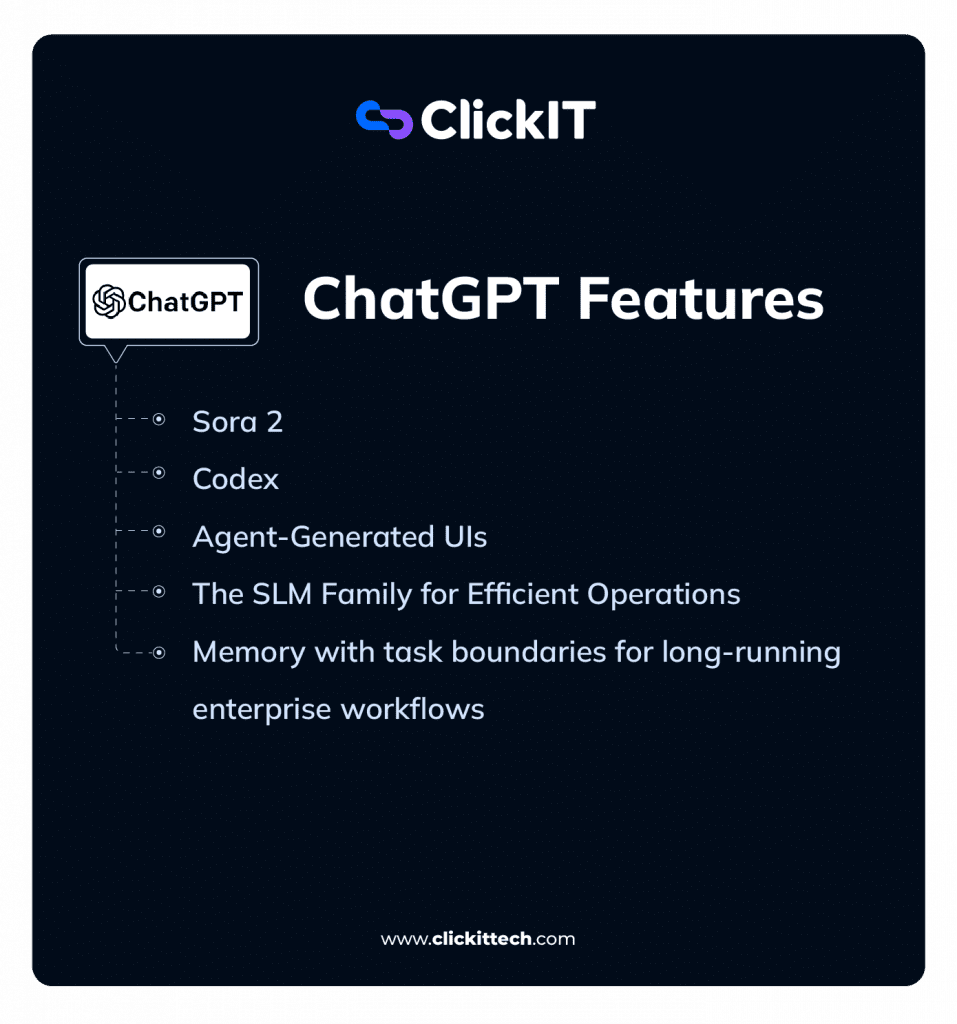
Sora 2
Sora 2 is OpenAI’s model for generating high-fidelity, physically coherent video from text prompts. I use this for creating technical prototypes and visualizing complex concepts.
For example, I can generate a short video demonstrating a new UI/UX flow or create an animated architectural diagram to explain a system’s data flow. The model’s ability to maintain object permanence and simulate physics allows for realistic technical demonstrations. The “Cameo” functionality also lets me insert specific likenesses into the generated videos, which is useful for creating personalized training materials.
Codex
Codex is an AI coding agent that helps devs like me write, review, and ship code faster. I integrate it directly into my development workflow by authorizing it to access a specific codebase, where it functions as a virtual team member within my existing tools, like my IDE and terminal.
It is powered by specialized models like GPT-5.2-Codex, which gives it a deep, contextual understanding of the project. Additionally, I can use it to write unit tests for a new function, refactor a complex module, or draft a pull request with a detailed description. All of its operations, like running code or debugging, are performed within a secure, cloud-based sandbox environment.
Agent-Generated UIs
This is an advanced capability where the AI agent generates a streaming, interactive user interface as its output, instead of just text. For my work, this means I can ask the agent to monitor a system’s health, and it can generate a real-time dashboard UI to display the metrics.
This AG-UI maintains a shared state with the agent’s backend logic, so my interactions with the interface can trigger further actions from the agent. It moves beyond conversational AI to AI-generated interactive applications.
Multi-Agent Workflows
For automating the entire software development lifecycle, I can configure multi-agent workflows. This involves chaining specialized agents together to perform a sequence of tasks.
A typical pipeline I use involves a “Planner” agent to break down a feature request, a “Retrieval” agent to gather relevant code from the repository, a “Generation” agent to write the new code, a “Testing” agent to run validation, and finally a “Deployment” agent to initiate the CI/CD process. This orchestrates a full development cycle with minimal human intervention.
The SLM Family for Efficient Operations
In addition to its flagship models, OpenAI provides a range of smaller, cost-efficient models optimized for specific tasks. These are often distilled or fine-tuned variants designed for speed, scale, and lower operational cost.
I use these for lightweight, low-latency, and low-cost use cases where the full power of GPT-5 is not required. For example, I deploy SLMs for tasks like routing incoming support tickets, classifying user feedback, or powering simple, high-volume chatbots. Their efficiency makes them ideal for production tasks that require speed and cost-effectiveness.
Memory with task boundaries for long-running enterprise workflows
The memory feature has evolved to support long-running, concurrent enterprise workflows. It now uses task boundaries, which allows the AI to maintain separate, isolated memory contexts for different projects. This is super important for my work, as it ensures that the AI’s knowledge of my “Project A” codebase does not bleed into its suggestions for “Project B.”
This is not perfect yet, as subtle bleed-through of high-level concepts can occur, particularly when projects are closely related or share a common tech stack.
However, it’s largely effective, and this contextual integrity is a requirement for using an AI assistant across multiple, complex engineering projects simultaneously.
What are the Differences Between Gemini and ChatGPT?
| Category | Gemini | ChatGPT |
|---|---|---|
| Best Use Case | Multimodal tasks, large documents, Google Workspace workflows | Reasoning, coding, structured outputs, automation workflows |
| Core Strength | Handles massive context (up to ~1M+ tokens) + multimodal inputs | Deep reasoning, instruction-following, multi-step problem solving |
| Ecosystem | Deeply integrated into Google (Docs, Gmail, Search, Android) | Independent platform with strong API + custom GPT ecosystem |
| Agent Capabilities | Limited, mostly within Google tools | Advanced agent workflows (planning, tools, code execution) |
| Multimodal | Native and strong (text, images, video, docs) | Strong, but more focused on structured reasoning + inputs |
| Speed | Faster in multimodal and search-based tasks | Faster in text-based conversations and iterative workflows |
| Output Style | Context-rich, exploratory, source-oriented | Structured, precise, decision-ready outputs |
| Tool Calling | Good, but may require more prompting consistency | Highly reliable (clean JSON, structured outputs) |
| Security | Strong with Google Cloud integration (IAM, VPC, etc.) | Strong enterprise controls (data isolation, retention, admin tools) |
| Pricing (2026) | Bundled with Google One / Workspace plans | Free, Plus, Team, Pro, Enterprise tiers |
| Adoption Trend | Growing fast via Google ecosystem integration | Still leading in direct usage + developer adoption |
| Philosophy | AI embedded into your tools (ambient assistant) | AI as a central tool for thinking and execution |
Which should AI decision-makers choose: Gemini or ChatGPT?
| Decision Factor | Choose Gemini if… | Choose ChatGPT if… |
|---|---|---|
| Productivity | You run on Google Workspace (Docs, Gmail, Sheets) and want seamless AI inside daily tools | You use multiple tools and need AI to connect workflows across platforms |
| Dev & Engineering | You analyze large codebases or documents using massive context windows | You build, test, and deploy code with strong agent workflows and automation |
| Multimodal | You need fast image, data, and document interaction in one place | You automate inside the Google ecosystem workflows |
| Long Context Workflows | You process large documents (contracts, research, datasets) | You need memory, iteration, and evolving conversations |
| Automation | You automate inside Google ecosystem workflows | You build end-to-end automations across APIs, web, and tools |
| Cost Efficiency | You already pay for Google Workspace (bundled value) | You need flexible pricing + API-level cost control |
| Security & Governance | You operate on Google Cloud (IAM, VPC, native controls) | You need granular data control + enterprise compliance flexibility |
| Scaling AI Apps | You scale within GCP ecosystem | You need flexibility across environments + strong dev ecosystem |
| Adoption Strategy | You want fast deployment with minimal setup | You want long-term flexibility and platform independence |
Which one is Better Between GPT vs Gemini in terms of speed, Latency, and Benchmark Performance?
| Aspect | ChatGPT 5.2 (Instant Mode) | Google Gemini 3 (Flash Mode) |
| Latency (short queries) | 2–5 seconds | <2 seconds, often near-instant |
| Streaming Output | Yes, token-by-token | Yes, extremely rapid token streaming |
| Throughput | High (~30–50 tokens/sec) | Very high, designed for large-scale parallel requests |
| Optimized Modes | Instant (speed), Thinking (depth) | Flash (speed), Pro (slightly slower, still fast) |
| Use Case Fit | Interactive chat, small delays acceptable | Real-time apps (voice, live chat), minimal lag |
In my experience, for casual or office use, both ChatGPT 5.2 and Google Gemini 3 feel very fast. I mean tasks like typing questions in a chat interface. A one-second difference is hardly noticeable.
However, in latency-sensitive settings like customer apps or real-time assistants, Gemini 3 Flash has a clear edge. But ChatGPT 5.2 is certainly not slow, and its speed keeps improving, but Google has prioritized handling massive scale and real-time interaction efficiently.
ChatGPT 5.2 has two modes in the chat interface: Instant for quick replies and Thinking for more complex reasoning. Instant mode usually starts giving answers in 2–5 seconds. It streams tokens smoothly at about 30–50 tokens per second. Thinking mode has a slight pause for complex queries, but I noticed this usually improves accuracy.
On the API side, ChatGPT can stream responses token by token and scale for enterprise workloads, though network conditions and location can affect latency.
Google Gemini 3 is engineered for speed, with the Flash variant designed to start responding almost instantly. Time-to-first-token is very low, so it is ideal for apps where every millisecond counts, like voice assistants or live chatbots.
Even for long outputs, streaming is fast and smooth, and Google’s cloud infrastructure allows many concurrent requests with minimal latency.
In practice, I’ve noticed that Gemini often feels “instantaneous,” whereas ChatGPT is “very fast.” And this difference only becomes important in latency-critical scenarios.
Both models support streaming responses through their APIs. Gemini’s efficiency also translates into cost savings because faster response times reduce compute usage per query.
Here’s a table summary
Benchmark Performance for Gemini vs ChatGPT
When it comes to benchmarks, both models are state-of-the-art, with strengths in different areas:
- Knowledge & Reasoning: ChatGPT 5.2 generally leads slightly on MMLU, HumanEval, and advanced reasoning benchmarks like ARC-AGI, reflecting strong logical and coding abilities. (Source)
- Multimodal Performance: Gemini 3 excels at tasks that combine text, images, and video, achieving high scores on Video-MMMU and related tests. This fits its multimodal design focus. (Source)
- Coding: ChatGPT 5.2 maintains an edge in pure text-based coding benchmarks (HumanEval, IOI, Terminal-bench, SWE-bench, and even Vibe Code Bench), while Gemini performs very well in visual coding tasks or when integrating with Google ecosystem data. (Source)
- Advanced Math & Science: Both models achieve near-human or superhuman performance, with minor differences favoring ChatGPT in some reasoning-heavy math tasks. (Source)
In practical terms, I would recommend ChatGPT 5.2 for complex reasoning or code-heavy workflows where correctness is important.
Gemini 3 is my go-to choice for many projects. It works well with multimodal content. It responds quickly when I need speed. It also integrates closely with Google services. For your most day-to-day use, either model feels exceptionally capable, far surpassing previous generations.
FAQs about Gemini vs ChatGPT
The primary difference is architectural. Gemini is designed for massive, multimodal data ingestion and deep integration within the Google Workspace ecosystem, leveraging Google Search for real-time, grounded information.
ChatGPT is built for autonomous agentic capabilities and developer extensibility, excelling at complex conversational workflows, creative generation, and specialized software engineering tasks via its Codex models.
Neither is universally superior; the better choice is determined by the technical requirements of the task. For workflows deeply embedded in the Google ecosystem that require real-time, multimodal reasoning (e.g., analyzing data in Sheets and Docs simultaneously), Gemini is the more integrated solution.
For tasks requiring creative flexibility, platform-agnostic automation, and access to a mature ecosystem of custom tools (GPTs), ChatGPT is generally the more powerful option.
No single AI model is universally “better.” The best choice depends on the specific use case. Several models exhibit strong performance in specialized domains:
Claude 3 vs GPT: Claude usually excels at processing and summarizing extremely long documents and in complex, nuanced creative writing.
Perplexity vs OpenAI: Good conversational answer engine. It excels at research tasks where direct, verifiable source citations are necessary.
Microsoft Copilot: The best choice for users deeply embedded in the Microsoft 365 ecosystem, offering strong integration with tools like Teams, Outlook, and Office.
Going into 2026, Google Gemini has over 450 million monthly active users and 35 million daily users. ChatGPT has over 700 million weekly active users, 190+ million daily users, and over 5.7 billion monthly visits, making it the largest AI chatbot by user base.